Raspberry Pi Zero
Add Meeting Room 365 to your Raspberry Pi Zero and connect it to your meeting room display.
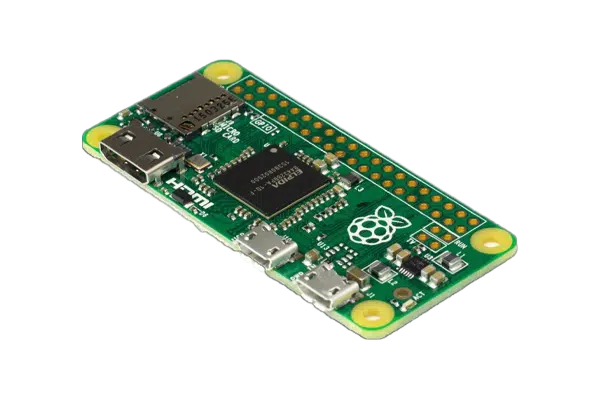
The Raspberry Pi Zero is the smallest and most affordable way to build a dedicated meeting room display. Its tiny form factor can be hidden behind virtually any monitor or TV, and at a fraction of the cost of a full Raspberry Pi, it's ideal for large-scale deployments on a tight budget.
The Pi Zero W includes built-in Wi-Fi, making it easy to connect to your network. Running Raspberry Pi OS with Chromium in kiosk mode, it provides a reliable and discreet signage solution.
At a glance
- Platform
- Linux kiosk
- Category
- Media players
- App
- Runs in the browser
- Best for
- Status board
Where the Raspberry Pi Zero does well, and what to weigh.
Where it shines
- Ultra-low cost and power draw
Things to watch
- Underpowered for large boards
One device, part of the connected workplace.
The same Raspberry Pi Zero and the same account can run more than one screen, and every screen reads from one calendar.
Status Board
Stand it in a lobby or hallway as an at-a-glance board for every room on the floor.
Live in four steps.
Create Your Account
Sign up for a free trial at admin.meetingroom365.com. Connect your Office 365, Exchange, or Google Workspace calendar.
Add Your Room
Add your meeting room calendar in the Meeting Room 365 admin portal. Configure display settings and themes.
Set Up Raspberry Pi OS
Flash Raspberry Pi OS Lite to a MicroSD card using Raspberry Pi Imager. Boot the Pi Zero, connect to Wi-Fi, and install a minimal desktop environment with Chromium.
Configure Kiosk Mode
Set Chromium to launch in kiosk mode on boot with your display URL. Use a systemd service or autostart script for reliable unattended operation.
Requirements & best practices.
Requirements
- Raspberry Pi Zero W or Zero 2 W (Zero 2 W recommended for better performance)
- MicroSD card (16GB or larger)
- Mini HDMI to HDMI adapter or cable
- TV or monitor with HDMI input
- Micro USB power supply
- Wi-Fi connection (built into Pi Zero W models)
- Meeting Room 365 account
- Office 365, Microsoft Exchange, or Google Workspace calendar
Tips & best practices
- The Pi Zero 2 W offers significantly better performance than the original Pi Zero W for browser-based tasks
- Use a mini HDMI adapter or cable — the Pi Zero does not have a full-size HDMI port
- Disable unnecessary services and use a lightweight desktop environment to maximize performance
- The Pi Zero's tiny size makes it easy to attach directly behind a monitor with a small case and VESA mount
- Consider the full-size Raspberry Pi 4 or 5 if you need smoother animations or faster page loads
Need detailed instructions?
Deeper guides live in the Support Center.
Other devices that fit the same job.
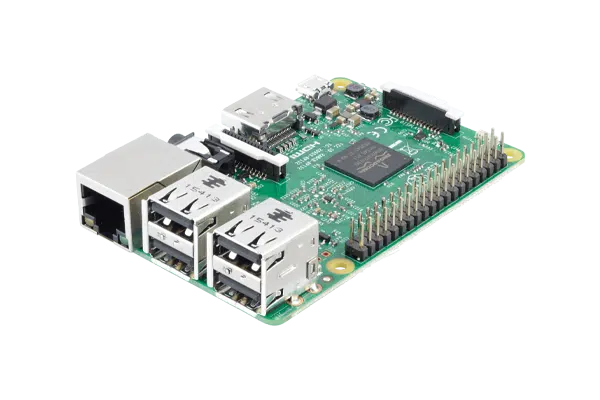 Linux kiosk
Raspberry Pi
A Pi in Chromium kiosk mode for the DIY-minded IT team.
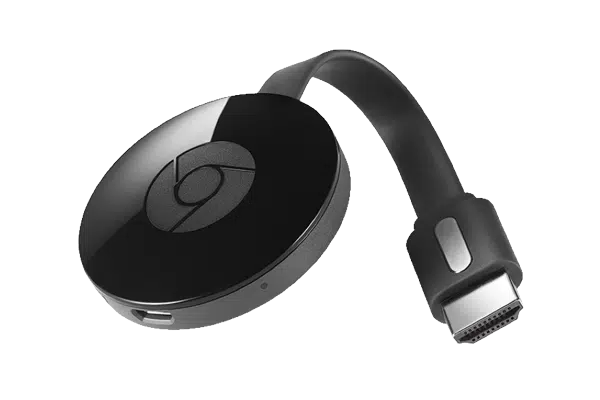 Cast
CastChromecast
Cast the board straight to a TV from the admin dashboard.
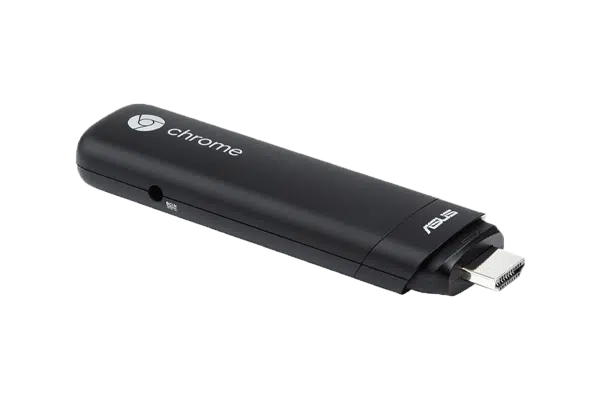 Chrome OS
Google Chromebit
A Chrome OS stick managed centrally in Google Admin.
Start with the device on your desk.
Spin up a free trial, install the app on whatever you’ve got, and see your first room go live today. Add purpose-built panels whenever you’re ready.