Quick answer: connect to Microsoft Graph with a write scope, then pass the group's ID and the new member's ID:
Connect-MgGraph -Scopes "GroupMember.ReadWrite.All"
New-MgGroupMember -GroupId $groupId -DirectoryObjectId $userId
Both values are object IDs, not names or email addresses. You look them up with Get-MgGroup and Get-MgUser.
What does New-MgGroupMember do?
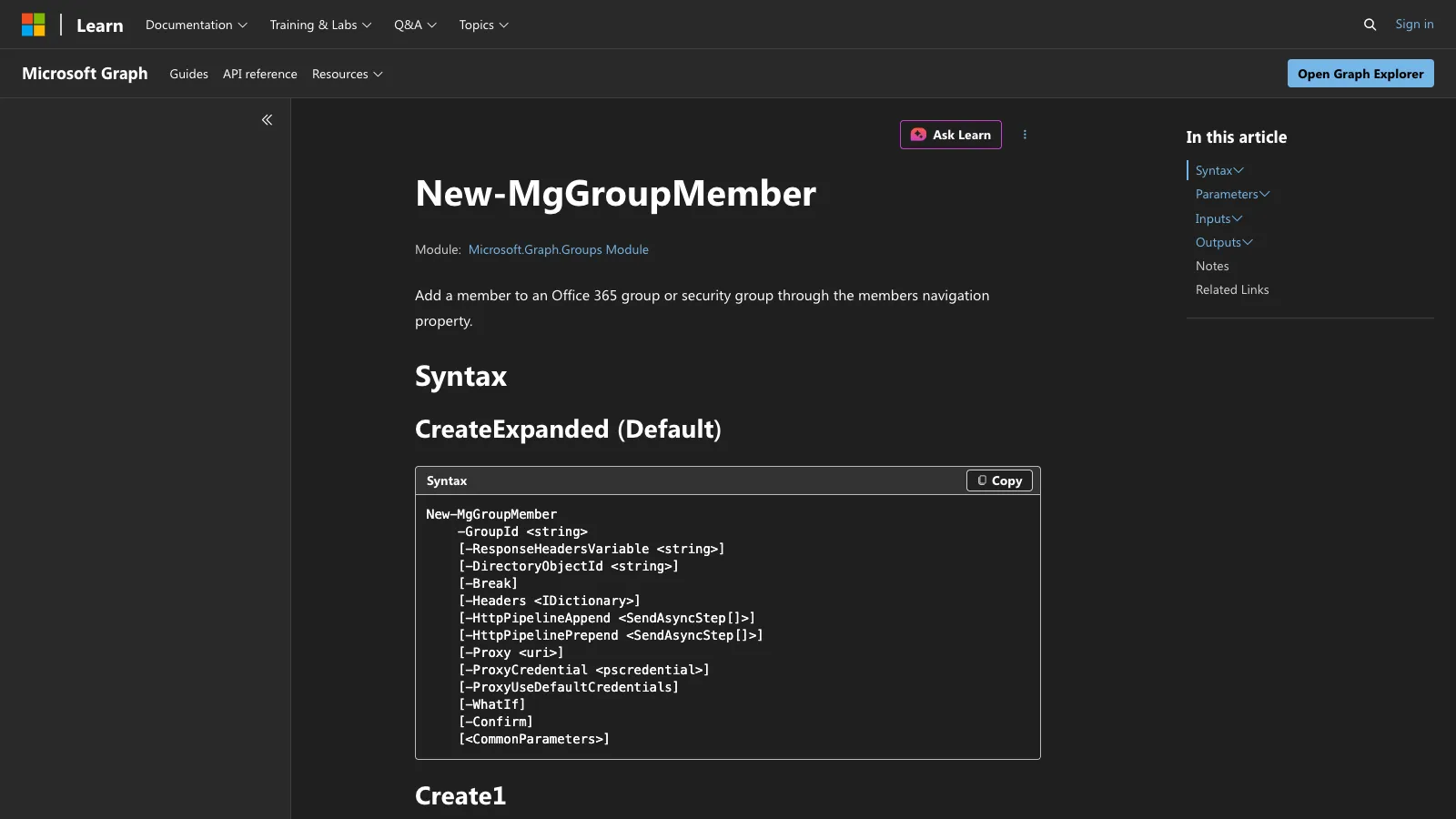
It adds a member to a security group or a Microsoft 365 group through the group's members property in Microsoft Graph. It's in the Microsoft.Graph.Groups module.
| Cmdlet | Use it when |
|---|---|
| New-MgGroupMember | You want to add one member by object ID |
| New-MgGroupMemberByRef | You want to add one member by its directoryObjects URL |
| Update-MgGroup | You want to add up to 20 members in one request |
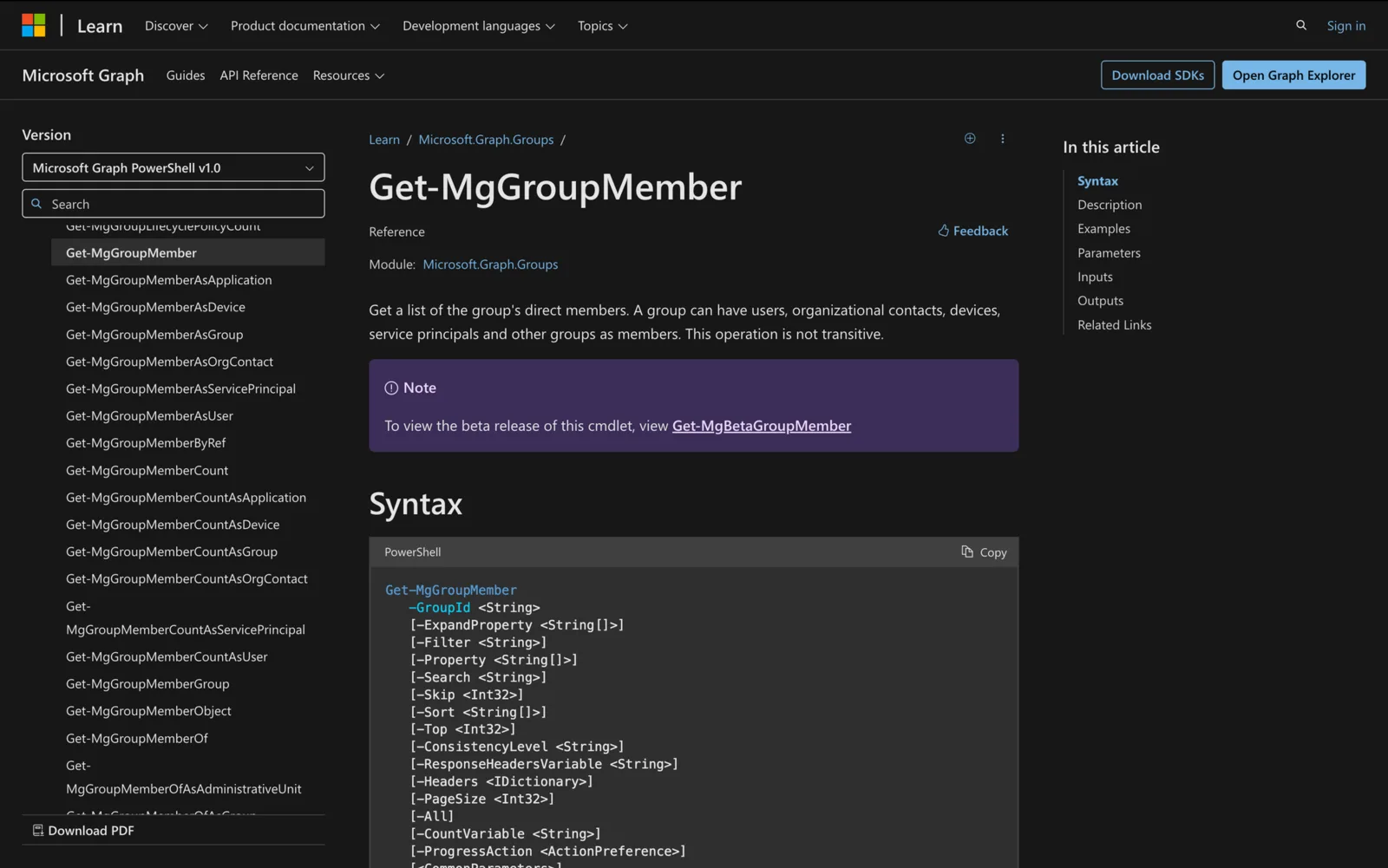
| Get-MgGroupMember | You want to list the members |
| Remove-MgGroupMemberDirectoryObjectByRef | You want to remove a member |
| Add-DistributionGroupMember | The group is a distribution list or a mail-enabled security group |
New-MgGroupMember and New-MgGroupMemberByRef do the same job. The first takes the member's ID in -DirectoryObjectId. The second takes a hash table with an @odata.id URL that ends in the same ID.
How do I connect?
Install-Module Microsoft.Graph.Groups -Scope CurrentUser
Connect-MgGraph -Scopes "GroupMember.ReadWrite.All"
See Connect-MgGraph for app-only sign-in and other options.
How do I find the group ID and the user ID?
Look up the group with Get-MgGroup and the user with Get-MgUser:
$group = Get-MgGroup -Filter "displayName eq 'Facilities'"
$user = Get-MgUser -UserId ayla@contoso.com
New-MgGroupMember -GroupId $group.Id -DirectoryObjectId $user.Id
-UserId on Get-MgUser accepts a UPN, so you don't need to know the user's ID in advance. If the filter returns more than one group, $group.Id holds several IDs and the add fails. Check the count first.
Examples
| Task | Command |
|---|---|
| Add a user | New-MgGroupMember -GroupId $group.Id -DirectoryObjectId $user.Id |
| Add a user by URL | New-MgGroupMemberByRef -GroupId $group.Id -BodyParameter @{ "@odata.id" = "https://graph.microsoft.com/v1.0/directoryObjects/$($user.Id)" } |
| Add a group to a security group | New-MgGroupMember -GroupId $group.Id -DirectoryObjectId $childGroup.Id |
| Preview the add | Add -WhatIf |
Which members can I add?
| Group type | Member types it accepts |
|---|---|
| Microsoft 365 group | Users only |
| Security group | Users, security groups, devices, service principals and organizational contacts |
A Microsoft 365 group can't be a member of a security group.
Which permissions do I need?
GroupMember.ReadWrite.All is the least privileged permission for adding users and groups. Other member types need a second permission:
| Member type | Permissions |
|---|---|
| User or group | GroupMember.ReadWrite.All |
| Device | GroupMember.ReadWrite.All plus Device.Read.All (delegated) or Device.ReadWrite.All (application) |
| Organizational contact | GroupMember.ReadWrite.All plus OrgContact.Read.All |
| Service principal | GroupMember.ReadWrite.All plus Application.ReadWrite.All |
When you sign in as a user, that user also needs a role that can manage group membership. Group owners can add members to their own groups. The roles that work for any group are Directory Writers, Groups Administrator, Identity Governance Administrator and User Administrator. Exchange, SharePoint, Teams and Yammer Administrators can manage Microsoft 365 groups only, and Intune Administrator security groups only.
To change a role-assignable group, you need RoleManagement.ReadWrite.Directory and the Privileged Role Administrator role.
How do I add many users at once?
Update-MgGroup takes up to 20 members in one request. Build a list of directoryObjects URLs and pass it as members@odata.bind:
$ids = (Get-MgUser -Filter "department eq 'Facilities'" -Top 20).Id
$params = @{
    "members@odata.bind" = @($ids | ForEach-Object { "https://graph.microsoft.com/v1.0/directoryObjects/$_" })
}
Update-MgGroup -GroupId $group.Id -BodyParameter $params
If Graph rejects any one member in the list, the whole request fails and nobody is added. For more than 20 users, or a list that may include current members, loop through New-MgGroupMember one user at a time.
Why doesn't New-MgGroupMember work?
| Error or symptom | Fix |
|---|---|
| The term New-MgGroupMember is not recognized | Install the Microsoft.Graph.Groups module and run Connect-MgGraph. |
| 400 Bad Request on a user you just checked | The user is already a member. Check with Get-MgGroupMember first. |
| 400: the source resource object or one of the objects being referenced don't exist | Often a group or user created a few seconds ago. Wait and try again. |
| 404 | The group or the member ID doesn't exist. Check you passed IDs, not names. |
| 403: insufficient privileges | Reconnect with the permission from the table above, and check the signed-in user's role. |
| 403 on a distribution list or a mail-enabled security group | Graph can't change those groups. Use Add-DistributionGroupMember in Exchange Online PowerShell. |
| 403 on a role-assignable group | Add RoleManagement.ReadWrite.Directory and use a Privileged Role Administrator. |
| 400 adding a device or group to a Microsoft 365 group | That member type isn't supported. Microsoft 365 groups accept users only. |
How do I check the result?
List the group's members with their names:
Get-MgGroupMember -GroupId $group.Id -All | Select-Object Id, @{ n = "Name"; e = { $_.AdditionalProperties.displayName } }
See Get-MgGroupMember for filtering and exporting the list.
Sources: New-MgGroupMember, Add members in the Microsoft Graph API reference, Remove-MgGroupMemberDirectoryObjectByRef and the difference between New-MgGroupMember and New-MgGroupMemberByRef on Microsoft Learn.
Meeting Room 365 turns any iPad or Android tablet into a room display for Exchange and Microsoft 365 calendars. See the features or pricing: $9 a display a month.