Quick answer
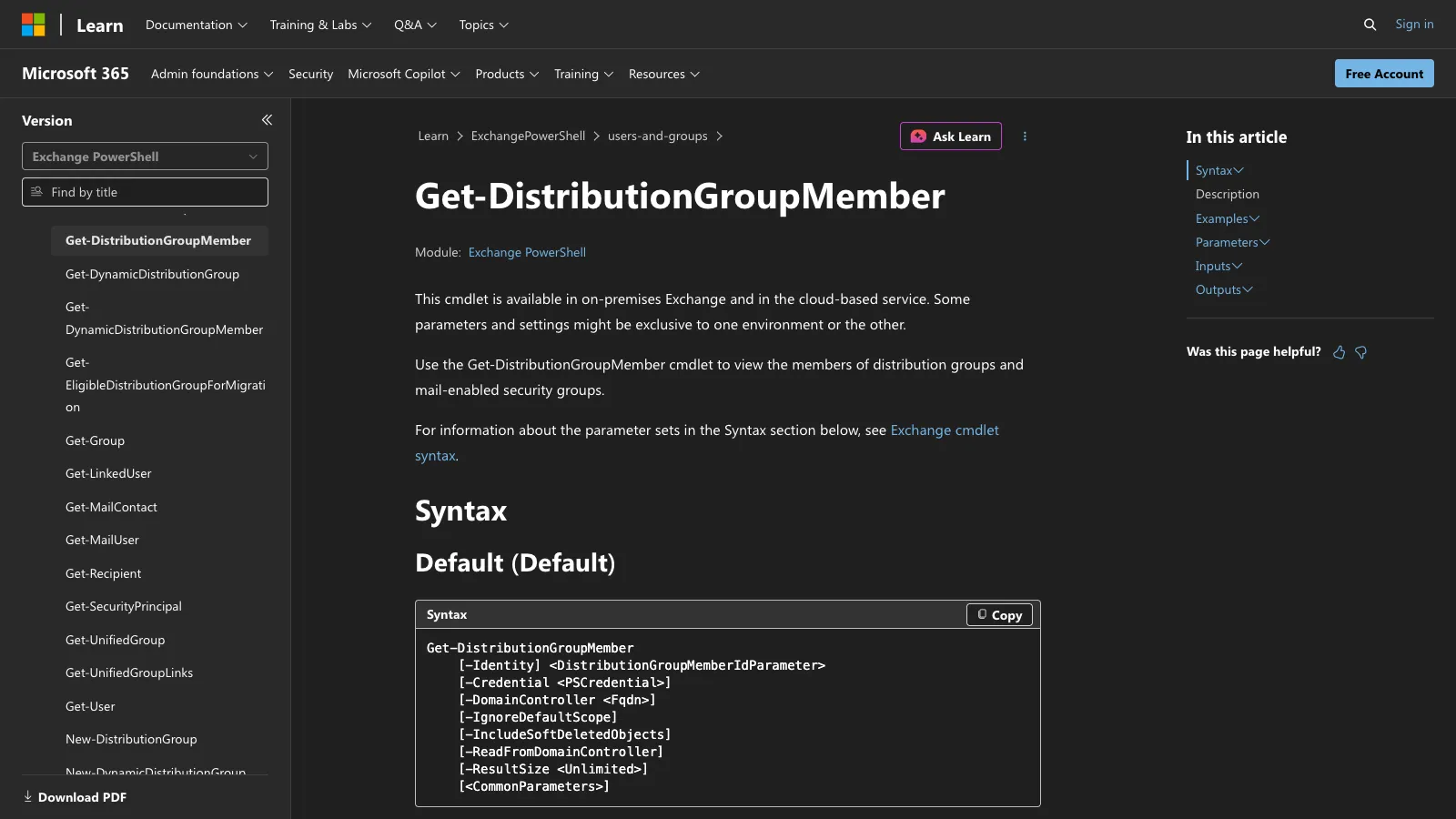
Get-DistributionGroupMember lists the members of a distribution group or mail-enabled security group in Exchange. Give it the group:
Get-DistributionGroupMember -Identity "Marketing Reports"
-Identity is required and positional, so Get-DistributionGroupMember "Marketing Reports" works too.
It works in Exchange Online and in on-premises Exchange. In Exchange Online, run Connect-ExchangeOnline first. On-premises, open the Exchange Management Shell. See Connect to Exchange Online PowerShell if you can't connect.
What does Get-DistributionGroupMember do?
It reads one group's member list. It doesn't change anything. -Identity accepts any value that identifies one group: name, alias, distinguished name, canonical DN, email address or GUID.
Which cmdlet you need depends on the kind of group:
| Group | Cmdlet |
|---|---|
| Distribution group or mail-enabled security group | Get-DistributionGroupMember |
| Dynamic distribution group (Exchange Online) | Get-DynamicDistributionGroupMember |
| Microsoft 365 Group | Get-UnifiedGroupLinks -LinkType Members |
To add people, see Add-DistributionGroupMember. To create a group, see New-DistributionGroup.
Examples
| Goal | Command |
|---|---|
| Members of one group | Get-DistributionGroupMember -Identity "Marketing Reports" |
| Every member, past 1000 | Get-DistributionGroupMember -Identity "All Staff" -ResultSize Unlimited |
| Names and email addresses | Get-DistributionGroupMember "Marketing Reports" | Select-Object Name,PrimarySmtpAddress |
| Count the members | (Get-DistributionGroupMember "All Staff" -ResultSize Unlimited).Count |
| Is one person in the group? | Get-DistributionGroupMember "Marketing Reports" | Where-Object PrimarySmtpAddress -eq "amyc@contoso.com" |
| Rooms in a room list | Get-DistributionGroupMember -Identity "Building 1 Rooms" |
| Include soft-deleted members (Exchange Online) | Get-DistributionGroupMember "Marketing Reports" -IncludeSoftDeletedObjects |
Why does it stop at 1000 members?
-ResultSize defaults to 1000. A large group gets cut short. Use Unlimited:
Get-DistributionGroupMember -Identity "All Staff" -ResultSize Unlimited
Add it to every count and export, or the numbers will be wrong for big groups.
How do I export members to CSV?
For one group, pick the columns and write the file:
Get-DistributionGroupMember -Identity "Marketing Reports" -ResultSize Unlimited |
  Select-Object Name,PrimarySmtpAddress,RecipientType |
  Export-Csv marketing-members.csv -NoTypeInformation
For every group, loop over the groups and add the group name to each row:
Get-DistributionGroup -ResultSize Unlimited | ForEach-Object {
  $group = $_
  Get-DistributionGroupMember -Identity $group.PrimarySmtpAddress -ResultSize Unlimited |
    Select-Object @{n='Group';e={$group.DisplayName}},Name,PrimarySmtpAddress,RecipientType
} | Export-Csv all-group-members.csv -NoTypeInformation
The loop identifies each group by PrimarySmtpAddress, which stays unique even if two groups share a display name. Microsoft's own example for Microsoft 365 Groups uses the same loop with Get-UnifiedGroupLinks.
If a member is itself a group, run the command again on that group to see who's in it.
How do I list the rooms in a room list?
A room list is a distribution group whose members are room mailboxes, so this cmdlet lists its rooms:
Get-DistributionGroupMember -Identity "Building 1 Rooms" | Select-Object Name,PrimarySmtpAddress
If a room is missing from the Outlook room finder, check that it appears here first. See Outlook Room Finder Not Showing Rooms for the other causes.
Which parameters work only on-premises?
| Parameter | What it does |
|---|---|
-DomainController |
Reads from one domain controller, by FQDN, such as dc01.contoso.com |
-IgnoreDefaultScope |
Searches the whole forest instead of the session's default recipient scope |
-ReadFromDomainController |
Reads from a domain controller in the user's domain instead of a global catalog |
With -IgnoreDefaultScope, -Identity accepts only a distinguished name, and you can't use -DomainController.
If your organization has more than one Active Directory domain, widen the scope to the whole forest first:
Set-ADServerSettings -ViewEntireForest $true
Get-DistributionGroupMember -Identity "Marketing Worldwide"
-IncludeSoftDeletedObjects works the other way round: it exists only in Exchange Online.
Why doesn't Get-DistributionGroupMember work?
| Symptom | Likely cause | Fix |
|---|---|---|
| The term Get-DistributionGroupMember isn't recognized | You aren't connected to Exchange | Run Connect-ExchangeOnline, or use the Exchange Management Shell |
| The list stops at 1000 | -ResultSize defaults to 1000 |
Add -ResultSize Unlimited |
| The group can't be found | It's a dynamic distribution group or a Microsoft 365 Group | Use Get-DynamicDistributionGroupMember or Get-UnifiedGroupLinks |
| A dynamic group's members look out of date | Exchange Online updates that list every 24 hours | Check again the next day |
-IgnoreDefaultScope can't find the group |
Only a distinguished name is accepted with that switch | Pass the group's DN |
| A parameter isn't found | Your role doesn't include it | Ask an admin for the right Exchange role |
To run with another account, build a credential first and pass it to -Credential. See Get-Credential.
How do I check the result?
Count the members, then compare with what you expect:
(Get-DistributionGroupMember -Identity "Marketing Reports" -ResultSize Unlimited).Count
Get-DistributionGroupMember -Identity "Marketing Reports" -ResultSize Unlimited | Sort-Object Name | Format-Table Name,PrimarySmtpAddress
Sources
- Get-DistributionGroupMember on Microsoft Learn
- Get-DynamicDistributionGroupMember on Microsoft Learn
- Get-UnifiedGroupLinks on Microsoft Learn
Meeting Room 365 turns any iPad or Android tablet into a room display for Exchange and Microsoft 365 calendars. See the features or pricing: $9 a room a month.