Quick answer
New-MoveRequest starts an asynchronous move of a mailbox, its personal archive, or both. In on-premises Exchange the simplest form moves one mailbox to another database:
New-MoveRequest -Identity tony@contoso.com -TargetDatabase "DB01"
Run it with -WhatIf first. Exchange checks the mailbox and returns an error if it isn't ready to move, without starting anything.
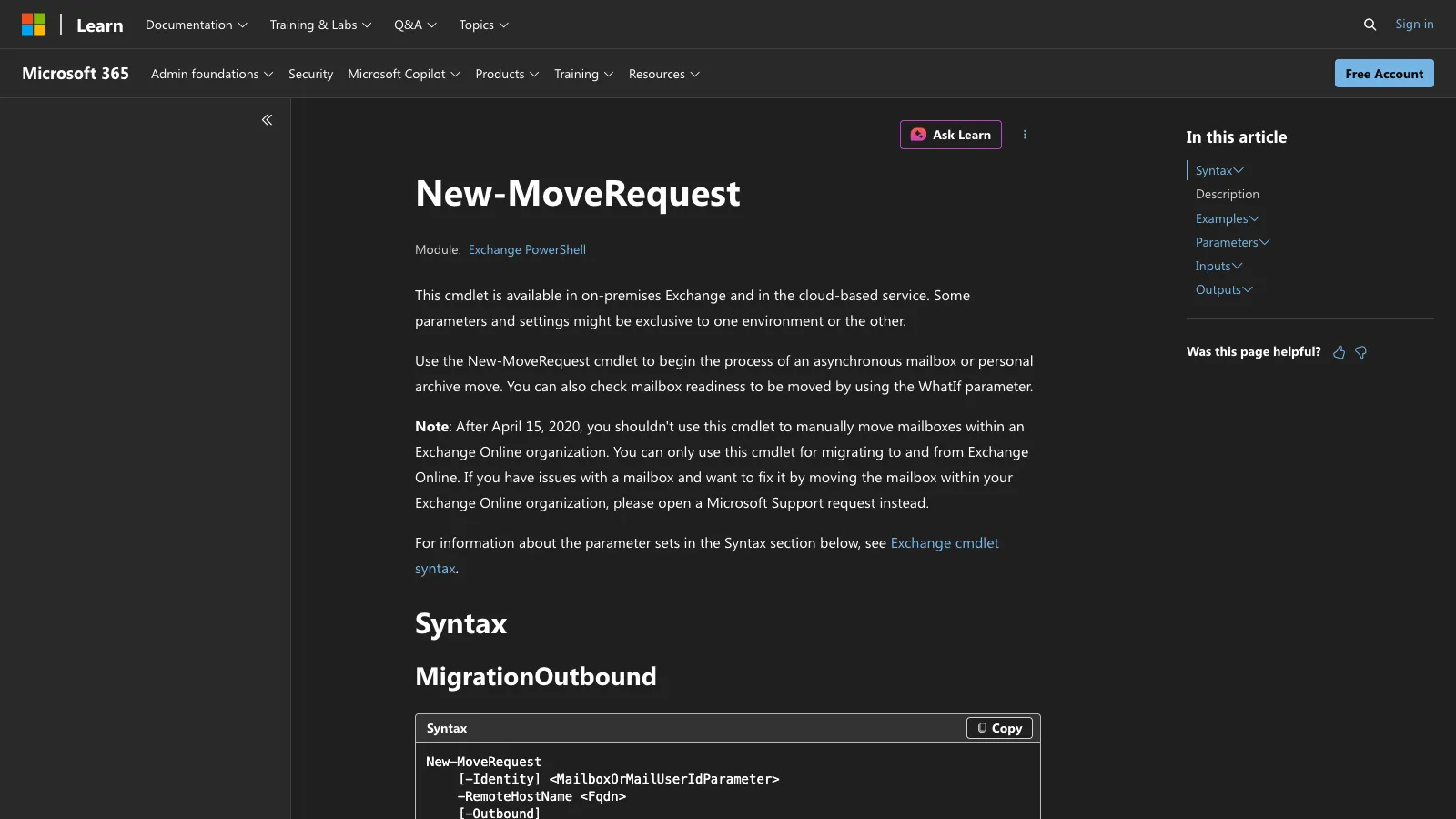
Since April 15, 2020, Microsoft says you shouldn't use it in Exchange Online to move mailboxes inside your own organization. Use it only to migrate to or from Exchange Online. If a cloud mailbox has problems that a move would have fixed, Microsoft asks you to open a support request instead.
What does New-MoveRequest do?
It creates a move request and returns. The copy runs in the background, and you track it with Get-MoveRequest and Get-MoveRequestStatistics.
The cmdlet has several parameter sets, one for each kind of move:
| Parameter set | Use it for | Key parameters |
|---|---|---|
| MigrationLocal | A move between databases in the same forest (on-premises) | -TargetDatabase, -ArchiveTargetDatabase |
| MigrationRemote | A move into this organization, started from the target side | -Remote, -RemoteHostName, -RemoteCredential |
| MigrationOutbound | A move out of this organization, started from the source side | -Outbound, -RemoteHostName, -RemoteCredential |
| MigrationRemoteLegacy | A move from a remote forest that has only Exchange 2010 servers | -RemoteLegacy |
| MigrationRemoteCrossTenant, MigrationOutboundCrossTenant | Moves between Microsoft 365 tenants | See Cross-tenant mailbox migration on Learn |
Related cmdlets:
| Cmdlet | Use it to |
|---|---|
Get-MoveRequest |
See which mailboxes have a move request and its status |
Get-MoveRequestStatistics |
See progress, size, percent complete and the move report |
Resume-MoveRequest |
Restart a suspended or failed move |
Remove-MoveRequest |
Cancel a move |
Get-MailboxStatistics |
Check a mailbox's size before you move it |
Get-RemoteMailbox |
Check the on-premises object of a mailbox that's in Exchange Online |
New-MoveRequest examples
| Goal | Command |
|---|---|
| Test whether a mailbox can move | New-MoveRequest -Identity tony@contoso.com -TargetDatabase "DB01" -WhatIf |
| Move one mailbox to another database | New-MoveRequest -Identity tony@contoso.com -TargetDatabase "DB01" |
| Move every mailbox on a database | Get-Mailbox -Database DB01 | New-MoveRequest -TargetDatabase DB02 -BatchName "DB01toDB02" |
| Move only the archive | New-MoveRequest -Identity tony@contoso.com -ArchiveOnly -ArchiveTargetDatabase "ARCH01" |
| Move the mailbox but leave the archive | New-MoveRequest -Identity tony@contoso.com -PrimaryOnly -TargetDatabase "DB01" |
| Copy now, finish after a set time (UTC) | New-MoveRequest -Identity tony@contoso.com -TargetDatabase "DB01" -CompleteAfter "2026-12-05 22:00:00z" |
| Queue a move without starting it | New-MoveRequest -Identity tony@contoso.com -TargetDatabase "DB01" -Suspend -SuspendComment "Resume after 10 P.M." |
If you leave out -TargetDatabase, Exchange picks a random database in the Active Directory site where you run the command. Name the database when it matters where the mailbox lands.
If you leave out -ArchiveTargetDatabase, the archive moves to the same database as the primary mailbox. -ArchiveOnly and -PrimaryOnly can't be used together. Only use -PrimaryOnly when the user has an archive you want to leave where it is.
How do I schedule when a move finishes?
A move copies data first and then completes, which is the short cutover step at the end. -CompleteAfter lets the copy run now and holds the cutover until a time you pick. Microsoft recommends it over the older -SuspendWhenReadyToComplete and -PreventCompletion switches.
-StartAfter works the same way for the start of the copy.
In Exchange Online PowerShell, a date and time with no time zone is read as UTC. To avoid surprises, give the value in UTC with a trailing z, or convert your local time first and pass the result:
$when = (Get-Date "12/5/2026 10:00 PM").ToUniversalTime()
Then use -CompleteAfter $when on the move. In on-premises Exchange, enter the date in the short date format set in Regional Options on the computer where you run the command.
How do I move a mailbox to or from Exchange Online?
Hybrid moves use the remote parameter sets. Which switch you use depends on where you start the move:
-Remote: the move is started from the target side and pulls the mailbox in from the other organization.-RemoteHostNameis the FQDN of the organization you're moving the mailbox from.-Outbound: the move is started from the source side and pushes the mailbox out.
-Remote and -Outbound can't be used together. -RemoteCredential takes the account of an admin who's allowed to run the move. Pass (Get-Credential) to be prompted, or store it in a variable first with $cred = Get-Credential.
-TargetDeliveryDomain is the FQDN of the external email address created in the source forest for the mail user when the move completes. It only works with -Remote, -RemoteLegacy or -Outbound. To move an archive to the cloud, use -ArchiveDomain with the FQDN of the external domain.
Room and equipment mailboxes move the same way as user mailboxes. -Identity accepts any mailbox or mail user.
What about bad items and large items?
On-premises, two limits set how many items a move can skip before it fails:
| Parameter | Counts | Default |
|---|---|---|
-BadItemLimit |
Corrupt items that can't be copied, plus items missing from the target when the move is ready to complete | 0 |
-LargeItemLimit |
Messages bigger than the target mailbox's maximum message size | 0 |
With the default of 0, one bad or large item fails the request. Microsoft suggests 10 or lower if you're willing to leave a few items behind. Set -LargeItemLimit to 51 or higher and you also need -AcceptLargeDataLoss. In Exchange 2010 the same rule applies to -BadItemLimit. For many bad items, try New-MailboxRepairRequest on the source mailbox and move again.
-AllowLargeItems copies items larger than the target mailbox limits without failing the move. It can't be combined with -LargeItemLimit.
In Exchange Online, -BadItemLimit and -LargeItemLimit are deprecated. You review the Data Consistency Score and any skipped items before the move completes instead.
Why doesn't New-MoveRequest work?
| Symptom | Likely cause | Fix |
|---|---|---|
-WhatIf returns an error |
The mailbox isn't ready to move | Fix what the error names, then run -WhatIf again |
| Parameter conflict error | Two switches that can't be combined: -ArchiveOnly with -PrimaryOnly, -Remote with -Outbound, or -AllowLargeItems with -LargeItemLimit |
Keep one of the pair |
Command fails with a high -LargeItemLimit (or -BadItemLimit in Exchange 2010) |
The value is 51 or higher without -AcceptLargeDataLoss |
Add -AcceptLargeDataLoss or lower the limit |
| Move fails on the first bad item | The default limit is 0 | Raise -BadItemLimit a little, or repair the source mailbox |
-TargetDeliveryDomain rejected |
It only works on remote moves | Use it with -Remote, -RemoteLegacy or -Outbound |
| You want to move a mailbox inside Exchange Online | Not supported for manual moves since April 15, 2020 | Open a support request with Microsoft |
| Parameter not found | Your role doesn't include it, or it's on-premises only (-TargetDatabase, -BadItemLimit, -Priority) |
Check the "Applicable" line on the Learn page |
How do I check the result?
See the status of one move:
Get-MoveRequest -Identity tony@contoso.com
See progress and size, or the full detail:
Get-MoveRequestStatistics -Identity tony@contoso.com
Get-MoveRequestStatistics -Identity tony@contoso.com | Format-List
Export the move report for a failed or slow move:
Get-MoveRequestStatistics -Identity tony@contoso.com -IncludeReport | Export-CSV C:\MRStats.csv
Check a batch for moves that finished with warnings:
Get-MoveRequest -BatchName "DB01toDB02" -MoveStatus CompletedWithWarning
Restart every failed move, or cancel one:
Get-MoveRequest -MoveStatus Failed | Resume-MoveRequest
Remove-MoveRequest -Identity tony@contoso.com
A completed request is removed on its own after 30 days by default. Change that with -CompletedRequestAgeLimit when you create it.
Sources
- New-MoveRequest (Microsoft Learn)
- Get-MoveRequest (Microsoft Learn)
- Get-MoveRequestStatistics (Microsoft Learn)
- Resume-MoveRequest (Microsoft Learn)
- Remove-MoveRequest (Microsoft Learn)
- Cross-tenant mailbox migration (Microsoft Learn)
Meeting Room 365 turns any iPad or Android tablet into a room display for Exchange and Microsoft 365 calendars. See the features or pricing: $9 a display a month.