Quick answer: Export-Clixml saves any PowerShell object to an XML file, and Import-Clixml turns that file back into an object:
Get-Service | Export-Clixml -Path .\services.xml
$services = Import-Clixml -Path .\services.xml
On Windows it also stores credentials encrypted, so scripts don't need plain-text passwords. Source: Export-Clixml on Microsoft Learn.
What is Export-Clixml?
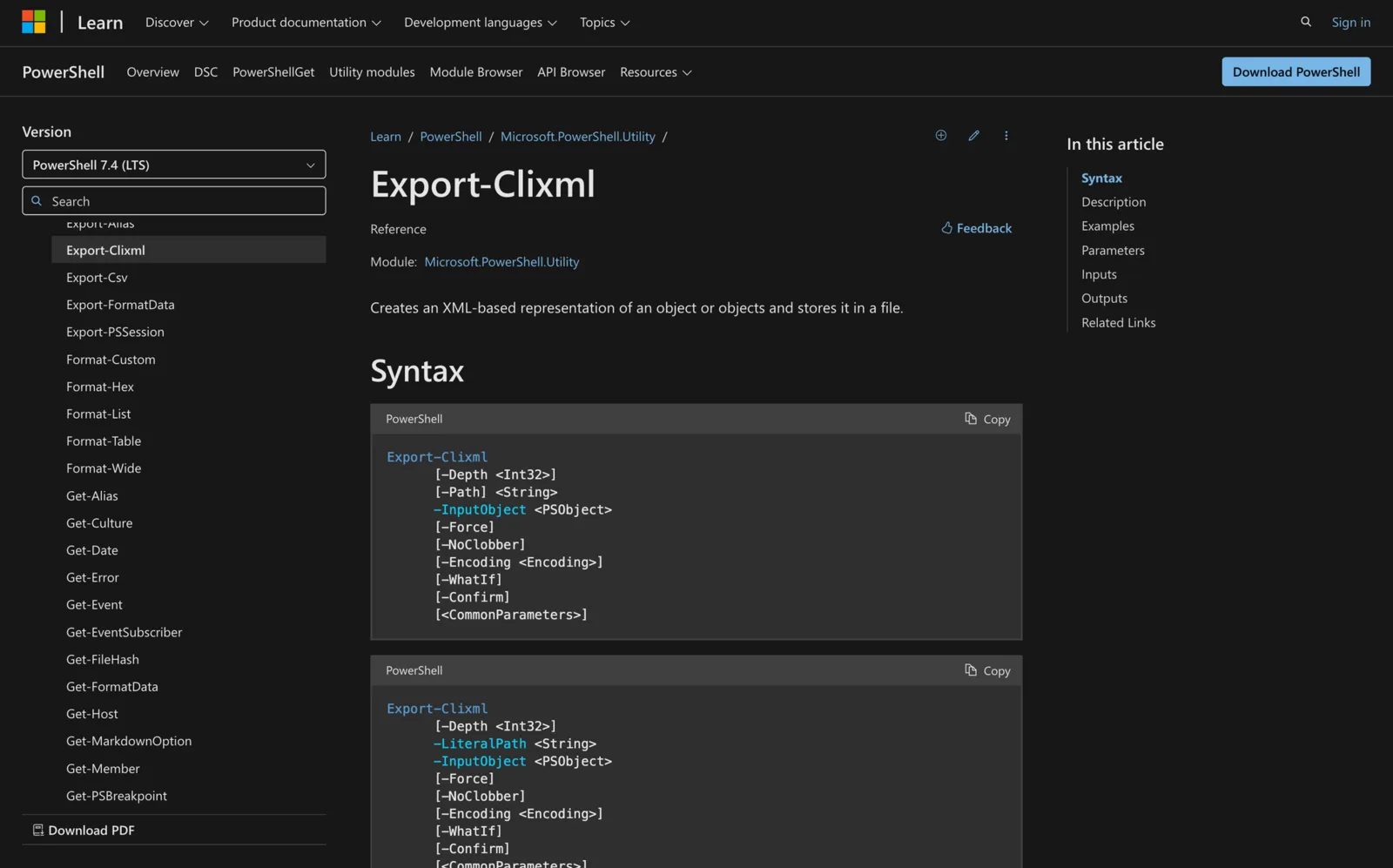
Export-Clixml serializes an object into a Common Language Infrastructure (CLI) XML representation and writes it to a file. Unlike a CSV, the file keeps the object's properties and types, so Import-Clixml can rebuild it later, in another session or script.
| Cmdlet | What it does |
|---|---|
Export-Clixml |
Writes the XML to a file |
Import-Clixml |
Reads that file and recreates the object |
ConvertTo-Xml |
Returns the XML to the pipeline instead of a file |
Export-Csv |
Writes a flat table, easy to open in Excel |
How do you export an object and load it back?
Pipe the object in and name the file with -Path:
"This is a test" | Export-Clixml -Path .\sample.xml
A real object works the same way. This saves a file's security descriptor, then reloads it:
Get-Acl C:\test.txt | Export-Clixml -Path .\FileACL.xml
$fileacl = Import-Clixml -Path .\FileACL.xml
Use this to snapshot settings before a change, or to pass results from one script to another. Try it on Get-Service output.
How do you save a credential securely?
Store a credential from Get-Credential once, then load it in your script:
$Credential = Get-Credential
$Credxmlpath = Join-Path (Split-Path $PROFILE) TestScript.ps1.credential
$Credential | Export-Clixml $Credxmlpath
In the script:
$Credxmlpath = Join-Path (Split-Path $PROFILE) TestScript.ps1.credential
$Credential = Import-Clixml $Credxmlpath
On Windows, Export-Clixml encrypts the credential with the Windows Data Protection API. Only your user account on that same computer can decrypt it. The file won't work on another computer or for another user, including a service account. Create the file while signed in as the account that runs the script.
See Get-Credential in PowerShell for more on credential objects.
Is it encrypted on macOS and Linux?
No. On macOS and Linux, Export-Clixml stores the password as a Unicode character array. That's obfuscation, not encryption: anyone who can read the file can recover the password. Microsoft's example shows the password password saved as 700061007300730077006f0072006400. Don't rely on Clixml credential files outside Windows.
What are the main parameters?
| Parameter | What it does |
|---|---|
-Path |
The output file (the first positional parameter) |
-LiteralPath |
Same, but no characters are treated as wildcards |
-InputObject |
The object to export; usually you pipe it in instead |
-Depth |
How many levels of contained objects to include; default 2 |
-NoClobber |
Don't overwrite an existing file (by default it's overwritten without warning) |
-Force |
Clears a read-only attribute on the output file if needed |
-Encoding |
File encoding; the PowerShell 7 default is utf8NoBOM |
Why are nested properties missing after import?
-Depth defaults to 2, so deeper levels of nested objects are cut off. Raise it when an object has properties that are themselves objects:
Get-Process -Name pwsh | Export-Clixml -Path .\process.xml -Depth 4
Why are imported objects missing their methods?
Import-Clixml returns a snapshot, not a live object. The imported objects include properties but no methods, and their type name gets a Deserialized. prefix (for example Deserialized.System.Management.Automation.PSCustomObject). Read values from them; run the original cmdlet again when you need to act on the real object. Source: Import-Clixml on Microsoft Learn.
Troubleshooting
| Problem | Likely cause and fix |
|---|---|
| A file was overwritten | That's the default. Add -NoClobber to stop it. |
| Export fails on a read-only file | Add -Force to clear the read-only attribute, or pick another path. |
Import-Clixml fails on a credential file |
It was made by another user or on another computer. Recreate it as the account and on the machine that runs the script. |
| Nested properties are empty after import | Raise -Depth above the default of 2. |
A path with [ or ] isn't found |
Use -LiteralPath so brackets aren't read as wildcards. |
Summary
Export-Clixmlwrites an object to XML;Import-Clixmlrebuilds it.- On Windows, credential files are encrypted for one user on one computer.
- On macOS and Linux, credential passwords are encoded, not encrypted.
- Raise
-Depth(default 2) for deeply nested objects. - Add
-NoClobberto avoid overwriting files.
Related: Get-Credential, Get-Content, Set-Content, Get-Service.
Meeting Room 365 turns any iPad or Android tablet into a room display for Exchange and Microsoft 365 calendars. See the features or pricing: $9 a display a month.