Buying a certified Teams Rooms system comes with a free Teams Rooms Basic license, and until this month the Teams admin center let you manage the device with it. In the portal replacing it, a Basic license gets you the device list and automatic updates. Everything below now needs Teams Rooms Pro:
- Changing a device's settings remotely, down to swapping the background image
- Device history and activity
- Any alert at all when a device breaks, including when it stops reporting in
- Peripheral health, meaning whether the camera and mic are actually up
- Device analytics
A Teams Rooms system costs several times what a tablet on a wall costs, and the answer to why was always partly that the software came with it. Free management was the sweetener on an expensive tablet. Nothing was ever announced as removed, which is the part worth being annoyed about — Basic is still there, still free, still listed as device management. On September 30 the last place you could avoid noticing closes.
If the price is all you need: Teams Rooms Pro is $40 per room per month, paid per year. Teams Rooms Basic is free and capped at 25 licenses, and it only covers Teams Rooms systems — you cannot put a free Basic license on a Teams panel. You do not need Pro to get into the new Pro Management portal. What Pro buys is how much of the portal works.
September 30 is when Teams device management finishes disappearing from the Teams admin center. The phased retirement began in the first week of September. Teams Rooms on Android, Teams panels, Teams phones and SIP devices all move to the Teams Rooms Pro Management portal at portal.rooms.microsoft.com. Teams Rooms on Windows was already there. Teams Displays are not moving at all, because the Teams Displays app is going end of support.
Portal access does not require Pro
This is the part going around wrong, so it's worth quoting Microsoft directly. From the transition guide: "The current access to PMP is included with Teams Rooms and Teams shared device licensing."
One Teams Rooms Pro, Basic or Standard license anywhere in the tenant opens the portal. So does one Teams Shared Space license, or a single Teams device already enrolled. Nobody has to buy anything to keep managing devices they already own.
Basic vs Pro inside the portal
Teams Rooms Basic is free, capped at 25 licenses, and covers certified Teams Rooms systems only. Above 25, the rest have to be Pro. What Basic doesn't buy is most of what the admin center used to do for free.
| In the Pro Management portal | Basic | Pro |
|---|---|---|
| Enrollment and inventory | Yes | Yes |
| Automatic software updates | Yes | Yes |
| Remote configuration | No | Yes |
| Device history and activity | No | Yes |
| Detailed system and configuration information | No | Yes |
| Peripheral health management | No | Yes |
| Custom health alerts | No | Yes |
| Device analytics | No | Yes |
| ITSM integration | No | Yes |
The monitoring line is the one worth reading twice. Microsoft's portal documentation puts it in a note: "Generating incidents is available with a Teams Rooms Pro or Teams Shared Device license." A device's health status is derived from those incidents, and incidents are what tell you the camera is dead, the device can't sign in to Exchange, or the monitoring agent has gone quiet. Without Pro none of it gets raised. The device is in your inventory. Whether it works is your problem to discover some other way.
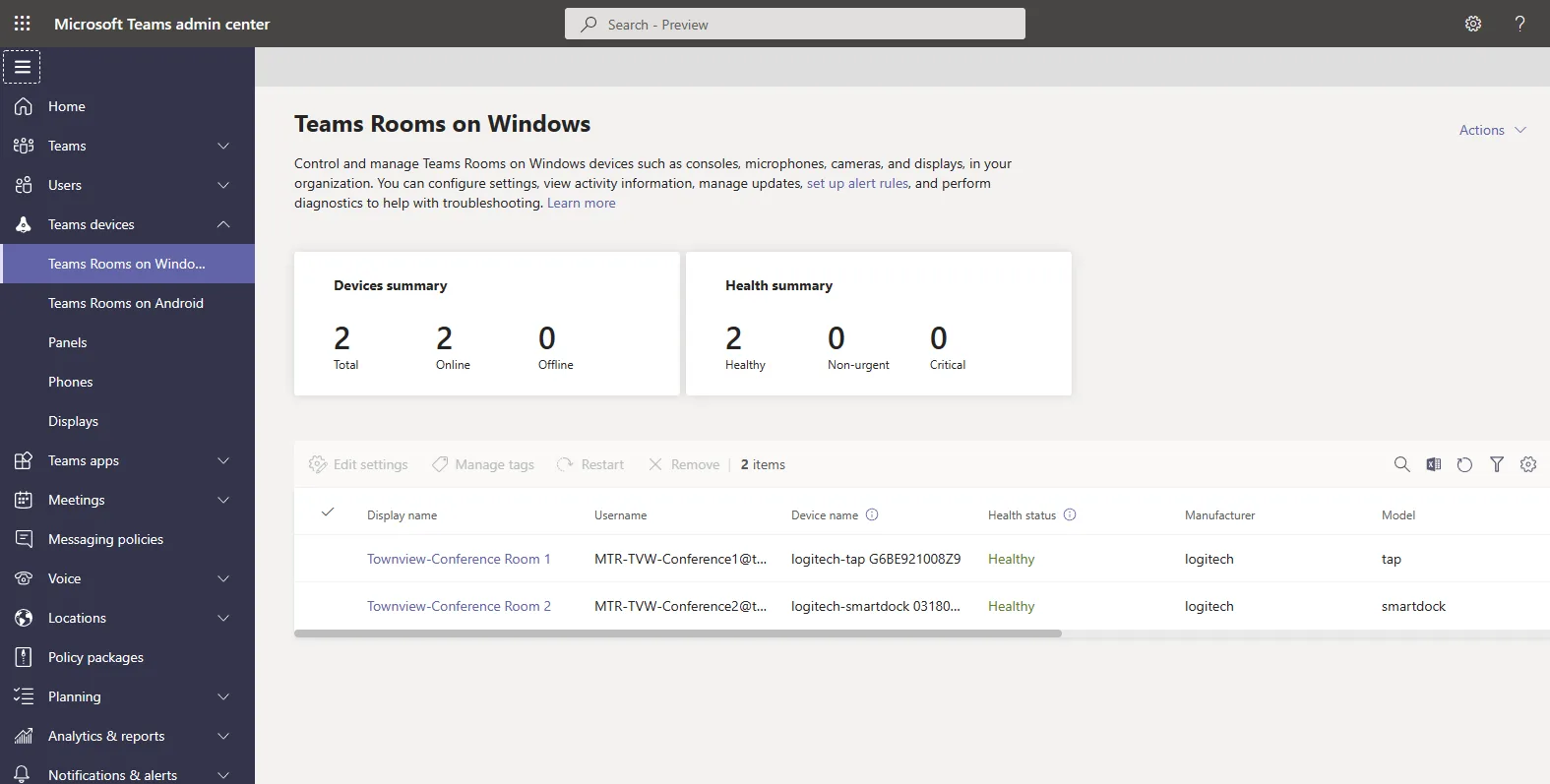 The Teams admin center summary that Android device management is leaving: online and offline counts, and device health, on the free license.
Read that next to what the admin center used to do. Editing settings, assigning configuration profiles, viewing device history and diagnostics: all of it worked on a Basic-licensed device from the admin center, and all of it now sits in the Pro column of a portal you can open but not fully use. Microsoft has been consistent since October 2 2023, when devices without Pro or Premium lost pro management capabilities. The retirement doesn't change the rule. It removes the place where the rule didn't apply.
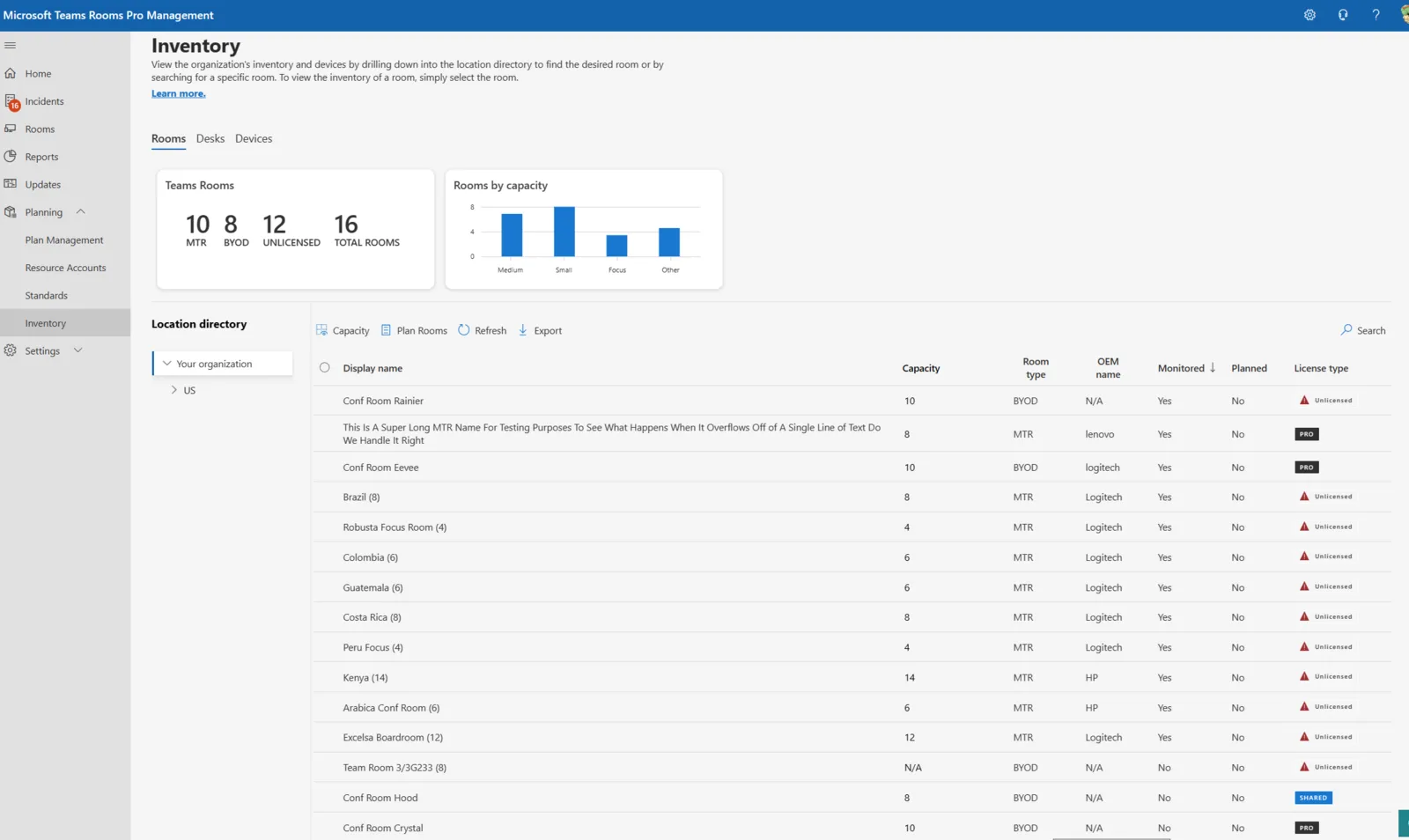
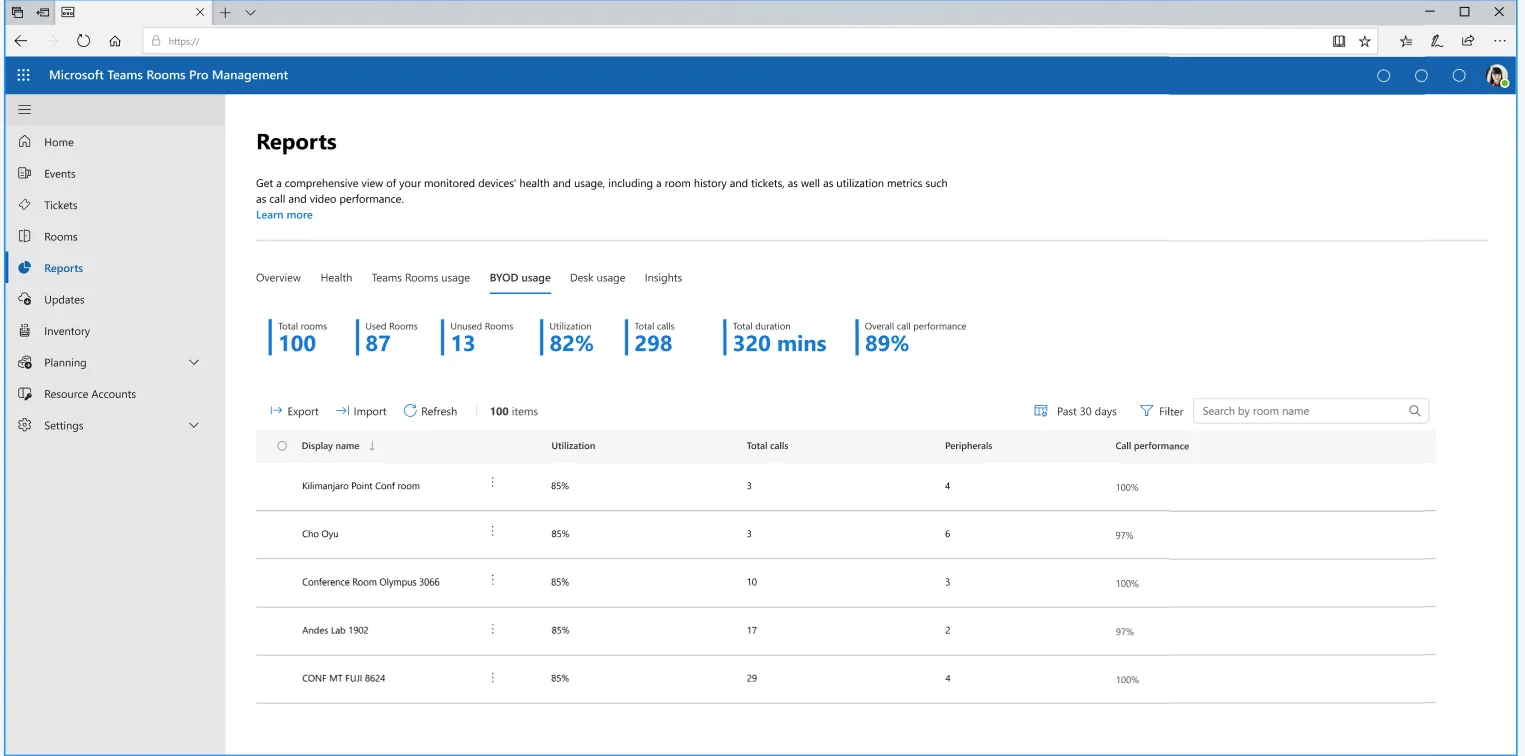 Utilization and call performance reporting in the Pro Management portal. Device analytics is a Pro-only line on Microsoft's own comparison table.
What a Teams panel costs
The free license is not an option for a panel. Microsoft says so plainly: "Teams Rooms Basic licenses can be used to license Teams Rooms systems only and not Teams Panels."
What a panel needs depends on the room. Where there's already a Teams Rooms system or a Surface Hub, one Pro license covers the room system and the panel together on the same resource account, and extra panels on extra doors share it, so the panel adds nothing. Where there's no room system, the panel takes a Teams Shared Space license of its own. The $40 is the room system's price, not the panel's.
Pro sells through the Microsoft 365 admin center or your usual channel, Basic through the admin center only, and it still wants payment details for a zero-dollar charge. Moving Android devices into the portal has firmware and network prerequisites with a hard date on them; Microsoft's transition guide is the authority there. Do that part before the 30th.
A panel is a managed endpoint
Everything above is the cost of a panel being a computer.
It runs an agent. The agent has a version. The version can fall behind, and behind far enough the device needs a person standing in front of it with a firmware file from an OEM portal. It needs to reach a specific Azure endpoint or it stops answering the portal entirely. It has a maintenance window you no longer choose. None of that is Microsoft doing anything wrong, and the consolidation is probably an improvement on managing four portals. It's just what you signed up for when the sign outside the meeting room became a managed endpoint.
The sign's job is to say whether the room is free.
Meeting Room 365: a display, not an endpoint
Meeting Room 365 runs the display in a browser or a native app on hardware you already have: any iPad, an Android tablet, a Fire tablet, a Windows machine, a screen on the wall with anything behind it that runs a modern browser. It's $9 per display per month, or $99 a year. Everything is included at that price: no per-user pricing, no feature tiers.
There's no agent, so there's no agent version. Nothing to fall below a minimum build, nothing force-pushed outside your update rings, no device that goes unmanageable because it happened to be powered off while a migration ran. The display loads the current version when it loads the page, the way every web app does.
That also makes it a much smaller MDM problem, and an optional one. Teams panels and Teams Rooms on Android enrol into Intune automatically. Teams Rooms on Windows is a Windows machine, with everything a Windows machine brings: an image to maintain, an OS to patch, an endpoint your security team has opinions about. A tablet running one web app is a different class of object. Enrol it if your policy says everything on the network gets enrolled, and it behaves like any other tablet in your fleet. Don't, and nothing about the display stops working. The room sign is not load-bearing infrastructure and it shouldn't be filed as any.
It reads the same Exchange room mailboxes your panels read. The rooms, the resource accounts and the calendars stay exactly where they are, and booking from the display writes back to the same place Outlook does. If you're running Places, the metadata you've already put on those rooms is the metadata it shows.
The hardware, which the license discussion skips
| Device | Price |
|---|---|
| Logitech Tap Scheduler | $999 |
| iPad, 11-inch, 128GB | $449 |
| Samsung Galaxy Tab A11+, 11-inch, 128GB | $299.99 |
| Amazon Fire HD 10, 32GB | $154.99 |
That panel price buys real things. Power over Ethernet, a mount built for the device, an LED bar you can read from down a corridor, and a chassis meant to sit on a wall for years. Budget a mount and a power run for the tablet and the gap narrows. What doesn't narrow is the management difference, and that's the line that keeps costing after the purchase order clears.
What a tablet doesn't do
Two honest limits. A tablet needs power and wifi, and someone can walk off with it in a way nobody walks off with a panel bolted to drywall. And Pro bundles Microsoft Intune, Entra ID P1 and Defender for Endpoint Plan 2, so a panel arrives inside your security posture with the licensing to keep it there. If your policy is that every networked device lives under Intune, you'll license that yourself. Worth pricing before you move a room.
Neither is worth $40 a month per door.
Keep the license on rooms doing real video work. Front row, intelligent audio, multi-camera, end-to-end encryption: those earn it in a room that runs meetings all day, and nothing here replaces them. The screen outside that room is a different question, and this month Microsoft answered it for you by making the free tier not worth having.
A sign that shows whether a room is free does not need a firmware dependency, an IoT Hub connection and a licensing tier to do it. For the conference room with the camera in it, fine. For the other forty doors in the building, that was always optional, and the company that sold you those panels just made it obvious.
Try it for 30 days. We don't ask for a card.