Quick answer
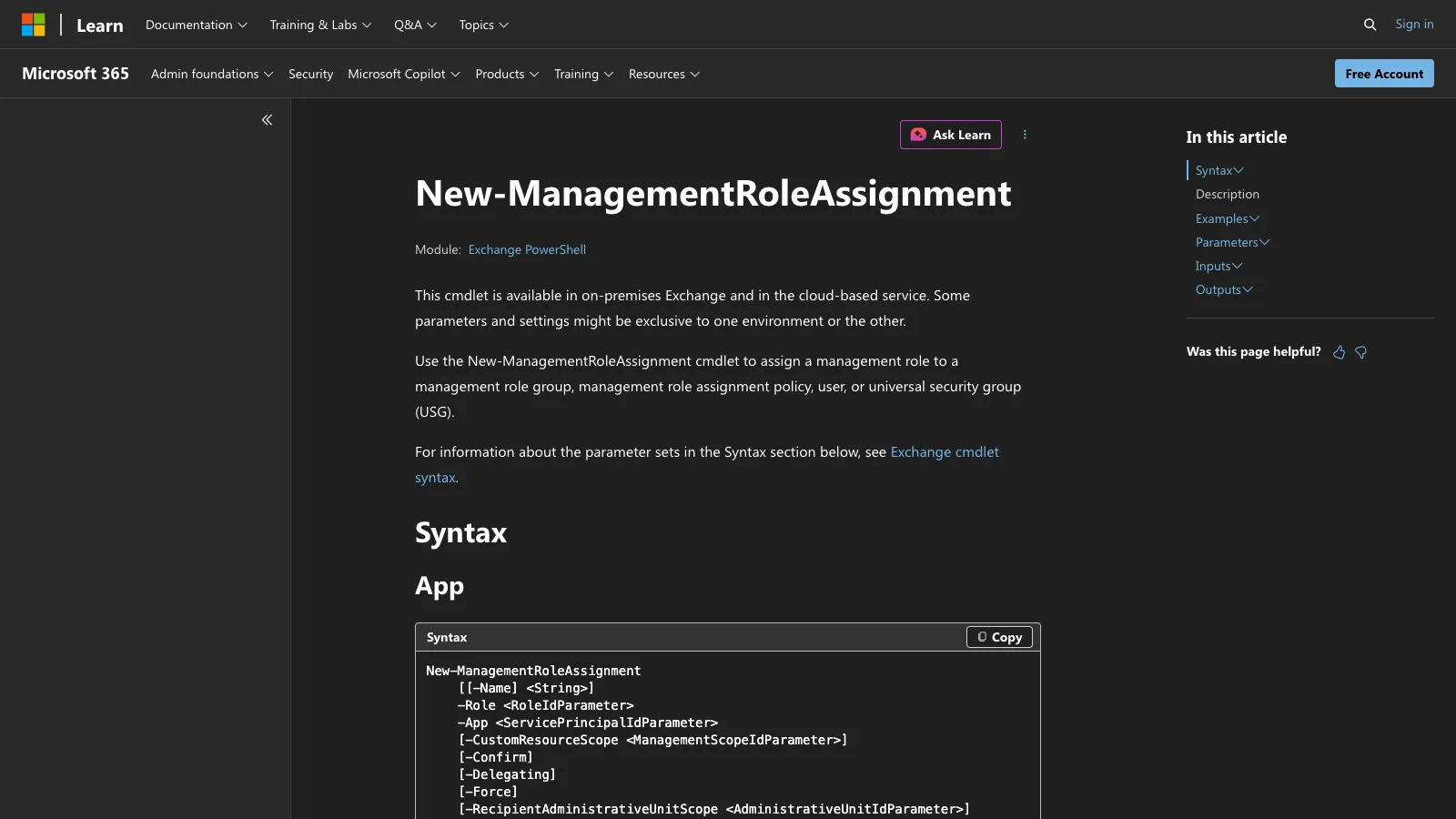
New-ManagementRoleAssignment assigns an Exchange management role to someone. That someone is a role group, a user, a role assignment policy or, in Exchange Online, an app's service principal. The basic form is:
New-ManagementRoleAssignment -Role "Mail Recipients" -SecurityGroup "Tier 2 Help Desk"
Add a scope parameter to limit what the role can touch, for example -RecipientOrganizationalUnitScope or -CustomRecipientWriteScope. Without one, the role's implicit write scope applies.
What does New-ManagementRoleAssignment do?
A role assignment is the link between a role (what someone can do) and a principal (who can do it). It can also carry a scope (which objects they can do it to). The cmdlet works in on-premises Exchange and Exchange Online, though some parameters exist in only one of them.
You pick exactly one principal per assignment:
| Parameter | Assigns the role to | Where it works |
|---|---|---|
-SecurityGroup |
A management role group or mail-enabled universal security group | Both |
-User |
One user (UPN or domain\SamAccountName) | Both |
-Policy |
A role assignment policy (end-user roles only) | Both |
-App |
A service principal, by ObjectId | Exchange Online only |
-Computer |
A computer | On-premises only |
These parameters can't be combined. -SecurityGroup can't be used with -App, -Policy, -Computer or -User, and the same rule applies to each of the others.
Related cmdlets:
| Cmdlet | Use it to |
|---|---|
Get-ManagementRoleAssignment |
List assignments, filtered by role, assignee or scope |
Set-ManagementRoleAssignment |
Change the scope of an existing assignment |
Remove-ManagementRoleAssignment |
Delete an assignment |
New-ManagementScope |
Create a custom or exclusive scope to use in an assignment |
Get-ManagementRoleEntry |
See which cmdlets and parameters a role contains |
Set-RoleGroup |
Change a role group's name, description or managers |
New-ManagementRoleAssignment examples
| Goal | Command |
|---|---|
| Give a role group a role | New-ManagementRoleAssignment -Role "Mail Recipients" -SecurityGroup "Tier 2 Help Desk" |
| Give one user a role | New-ManagementRoleAssignment -Role "Mail Recipients" -User admin@contoso.com |
| Add an end-user role to a policy | New-ManagementRoleAssignment -Role "MyVoiceMail" -Policy "Sales end-users" |
| Limit a role to one OU | New-ManagementRoleAssignment -Role "Eng Help Desk" -SecurityGroup "Eng HD Personnel" -RecipientOrganizationalUnitScope contoso.com/Engineering/Users |
| Limit a role to a custom scope | New-ManagementRoleAssignment -Role "Distribution Groups" -SecurityGroup "North America Exec Assistants" -CustomRecipientWriteScope "North America Recipients" |
| Give a name and let members delegate | New-ManagementRoleAssignment -Name "Mail Recipients_Fabrikam" -Role "Mail Recipients" -SecurityGroup "Fabrikam Help Desk" -Delegating |
| Preview without changing anything | Add -WhatIf to any of the above |
If you leave out -Name, Exchange creates a name for you. A name can be up to 64 characters.
Before you assign a role to a policy, check that it's an end-user role. The IsEndUserRole property must be $true:
Get-ManagementRole "MyVoiceMail" | Format-Table Name, IsEndUserRole
How do I scope a role assignment?
A scope parameter limits which objects the assignee can change. Some scope parameters can't be used together:
| Scope parameter | Limits the role to | Can't be used with |
|---|---|---|
-RecipientOrganizationalUnitScope |
Recipients in one OU (domain/ou) |
-CustomRecipientWriteScope, -ExclusiveRecipientWriteScope |
-CustomRecipientWriteScope |
Recipients matching an existing recipient scope | -RecipientOrganizationalUnitScope, -ExclusiveRecipientWriteScope |
-ExclusiveRecipientWriteScope |
Recipients in an exclusive scope | -CustomRecipientWriteScope, -RecipientOrganizationalUnitScope |
-CustomConfigWriteScope |
Configuration objects in a scope (on-premises) | -ExclusiveConfigWriteScope |
-ExclusiveConfigWriteScope |
Configuration objects in an exclusive scope (on-premises) | -CustomConfigWriteScope |
-RecipientAdministrativeUnitScope |
A Microsoft Entra administrative unit (Exchange Online) | |
-RecipientGroupScope |
Direct members of one group, not nested groups (Exchange Online) | |
-CustomResourceScope |
A management scope, used with -App (Exchange Online) |
You can combine a recipient scope with a configuration scope. This example, adapted from Microsoft Learn, limits a help desk to the Contoso databases and to recipients in the Seattle OU in one assignment:
New-ManagementRoleAssignment -Name "Mail Recipients_Contoso Seattle" -Role "Mail Recipients" -SecurityGroup "Contoso Sub - Seattle" -CustomConfigWriteScope "Contoso Databases" -RecipientOrganizationalUnitScope contoso.com/Contoso/Seattle/Users
When an assignment uses an exclusive scope, only assignees with an exclusive assignment covering the same objects can change them. Other admins can no longer modify those objects.
How do I limit an app to room mailboxes?
In Exchange Online, -App together with -CustomResourceScope is how RBAC for Applications works. Microsoft says it replaces Application Access Policies. It lets you give an app a Graph permission, such as reading calendars, on a set of mailboxes instead of all of them. A room booking system is Microsoft's own example.
To let an app read only room calendars:
- Create a scope that matches room mailboxes:
New-ManagementScope -Name "Room mailboxes" -RecipientRestrictionFilter "RecipientTypeDetails -eq 'RoomMailbox'"
- Create a pointer to the app's Microsoft Entra service principal. Take the Application ID and Object ID from Enterprise applications in Microsoft Entra. Don't use the IDs on the App registrations page, which shows different values:
New-ServicePrincipal -AppId <Application ID> -ObjectId <Object ID> -DisplayName "Room display app"
- Assign the application role with the scope:
New-ManagementRoleAssignment -App <Object ID> -Role "Application Calendars.Read" -CustomResourceScope "Room mailboxes"
- Test it against a room and a normal user mailbox:
Test-ServicePrincipalAuthorization -Identity "Room display app" -Resource boardroom@contoso.com | Format-Table
InScope shows True for mailboxes the assignment covers and False for the rest. Use Application Calendars.ReadWrite instead if the app also books or edits meetings.
To scope by a Microsoft Entra administrative unit instead of a management scope, swap -CustomResourceScope for -RecipientAdministrativeUnitScope.
Why doesn't New-ManagementRoleAssignment work?
| Symptom | Likely cause | Fix |
|---|---|---|
| Error about parameters that can't be used together | Two principal parameters, or two conflicting scope parameters, in one command | Use one of -SecurityGroup, -User, -Policy, -App or -Computer, and check the scope table above |
| Can't assign a role to a policy | The role isn't an end-user role | Check IsEndUserRole with Get-ManagementRole. Only end-user roles go to a policy |
| Can't assign a user role to an app | -App only takes application or management roles |
Pick an Application ... role from Get-ManagementRole |
| Parameter not found | You don't have the role that exposes it, or it's on-premises only (or cloud only) | Check the "Applicable" line on the Learn page and your own assignments |
| App still reads mailboxes outside the scope | The app still has the same permission granted in Microsoft Entra ID, and the two grants add up | Remove the unscoped consent in Microsoft Entra ID |
| App access hasn't changed yet | App permissions are cached for 30 minutes to 2 hours | Wait, or confirm the setup with Test-ServicePrincipalAuthorization, which skips the cache |
| Exclusive scope doesn't block an app | Exclusive scopes don't restrict app access | Use a regular scope on the app's assignment |
| You can't create an app assignment at all | You need Organization Management (or a delegating assignment for the application roles) and the Exchange Administrator role in Microsoft Entra ID | Ask a member of Organization Management to run it, or to give you a delegating assignment |
Apps can't be members of a role group, so app permissions always go through a direct assignment.
How do I check the result?
List the assignments for a role:
Get-ManagementRoleAssignment -Role "Mail Recipients"
Show one assignment in full, including its scopes:
Get-ManagementRoleAssignment "Mail Recipients_Contoso Seattle" | Format-List
To undo an assignment, remove it. Add -WhatIf first to see what would go:
Remove-ManagementRoleAssignment "Mail Recipients_Contoso Seattle" -WhatIf
For a full script that scopes the Meeting Room 365 app to room and equipment mailboxes, see Role-Based Access Control via PowerShell.
Sources
- New-ManagementRoleAssignment (Microsoft Learn)
- Role Based Access Control for Applications in Exchange Online (Microsoft Learn)
- New-ManagementScope (Microsoft Learn)
- Get-ManagementRoleAssignment (Microsoft Learn)
- Remove-ManagementRoleAssignment (Microsoft Learn)
- Filterable properties for the RecipientFilter parameter (Microsoft Learn)
Meeting Room 365 turns any iPad or Android tablet into a room display for Exchange and Microsoft 365 calendars. See the features or pricing: $9 a display a month.