Quick answer: In Exchange Online, run Get-MailboxLocation -User chris@contoso.com to list every mailbox location for a user: primary, archive, auxiliary and more. In on-premises Exchange the -User parameter doesn't exist; use -Database for a whole database or -Identity with the mailbox GUID.
Connect-ExchangeOnline
Get-MailboxLocation -User chris@contoso.com
What does Get-MailboxLocation do?
It shows mailbox location objects: which mailboxes belong to a user and what type each one is. A single user can have a primary mailbox, a main archive, auxiliary archives and other components, and this cmdlet lists them together.
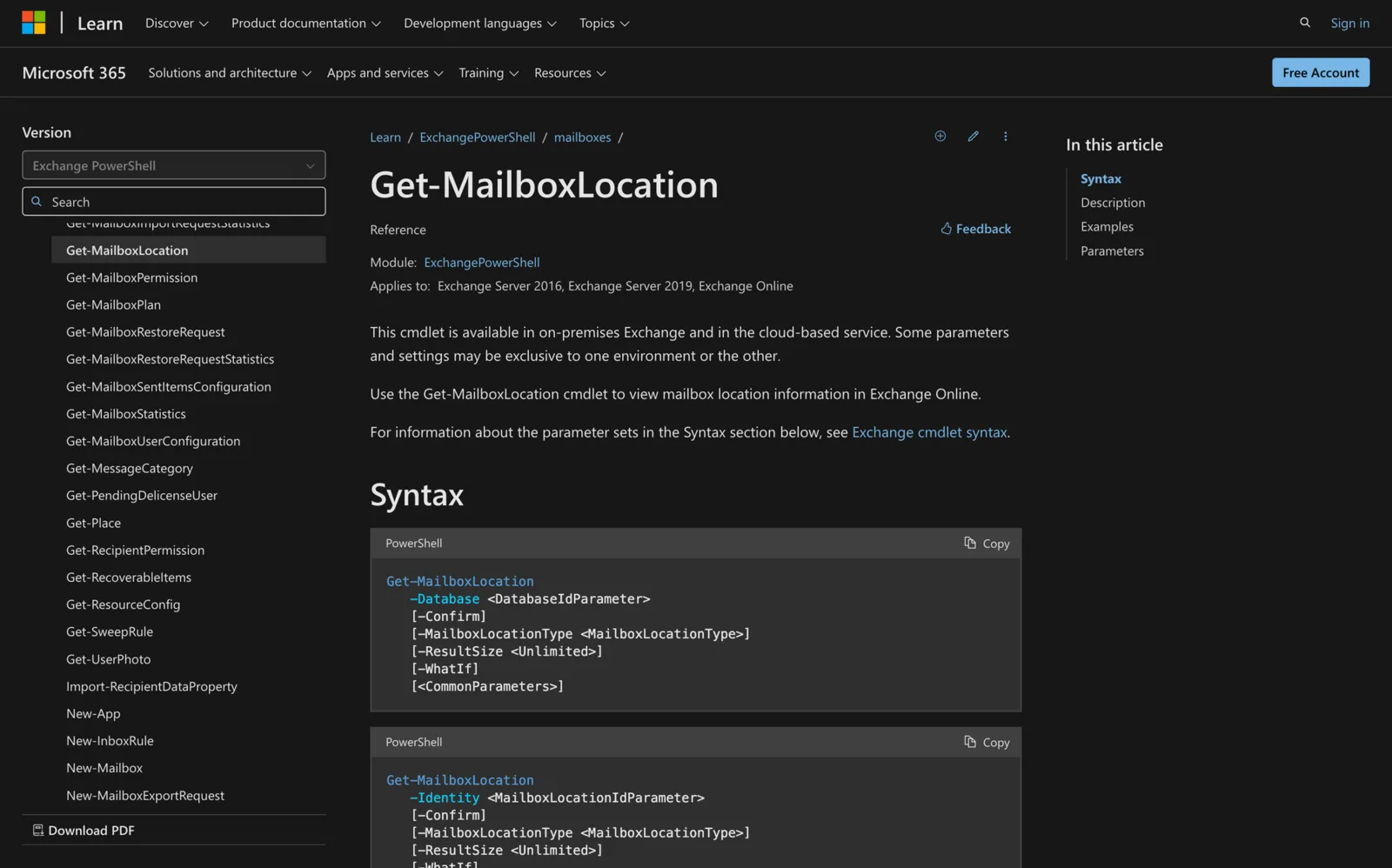
It works in Exchange Server 2016, Exchange Server 2019, Exchange Server SE and Exchange Online, but the parameters differ by environment (Microsoft Learn).
Which parameters work where?
| Parameter | Exchange Online | On-premises Exchange | What it does |
|---|---|---|---|
-User |
Yes | No | Locations for one user (name, DN, canonical DN or GUID) |
-Identity |
Yes | Yes | One location object, by MailboxGUID or TenantGUID\MailboxGUID |
-Database |
No | Yes | Locations for all mailboxes on a database |
-IncludePreviousPrimary |
Yes | No | Adds the previous primary mailbox (with -User only) |
-MailboxLocationType |
Yes | Yes | Filters by mailbox type |
-ResultSize |
Yes | Yes | Caps results; default 1000, use unlimited for all |
-User, -Identity and -Database are separate parameter sets: use one per command.
How do I check a user's mailbox locations in Exchange Online?
Connect first (see installing the Exchange Online PowerShell module), then:
Get-MailboxLocation -User chris@contoso.com
To include the previous primary mailbox:
Get-MailboxLocation -User chris@contoso.com -IncludePreviousPrimary
The results include the TenantGUID and MailboxGUID values you can pass to -Identity later.
How do I check whether a user has an archive?
Filter by type:
Get-MailboxLocation -User chris@contoso.com -MailboxLocationType MainArchive
No result means no main archive location for that user. Valid -MailboxLocationType values:
| Value | Notes |
|---|---|
Primary |
The main mailbox |
MainArchive |
The archive mailbox |
AuxArchive |
Auxiliary archive |
AuxPrimary |
Auxiliary primary |
ComponentShared |
Shared component |
Aggregated |
Aggregated mailbox |
PreviousPrimary |
Exchange Online only |
How do I use it on on-premises Exchange?
Without -User, query by database or by GUID:
Get-MailboxLocation -Database "Mailbox Database 01" -ResultSize unlimited
The database can be its name, distinguished name or GUID. For one mailbox, get its GUID first:
Get-Mailbox -Identity chris@contoso.com | Format-List *GUID,MailboxLocations
Get-MailboxLocation -Identity e15664af-82ed-4635-b02a-df7c2e03d950
The GUID to use is the mailbox's ExchangeGuid value. See Get-Mailbox for more on that cmdlet.
What permissions do I need?
You need permissions assigned before you can run it, and your role may not include every parameter. Microsoft's Find the permissions required to run any Exchange cmdlet shows how to look up the role for your organization.
Troubleshooting
| Problem | Cause | Fix |
|---|---|---|
| "A parameter cannot be found that matches parameter name 'User'" | Running on-premises, where -User doesn't exist |
Use -Database or -Identity |
-Database not recognized |
Running in Exchange Online | Use -User or -Identity |
| Parameter set error | Combined -User with -Identity |
Use one of them |
| Results look like every mailbox | -Identity was $null or a value that doesn't exist |
Check the GUID; a null Identity returns all objects |
| Only 1000 results | Default -ResultSize |
Add -ResultSize unlimited |
-IncludePreviousPrimary fails |
Used without -User, or on-premises |
Use it with -User in Exchange Online |
-Confirm and -WhatIf appear in the syntax but are reserved for internal Microsoft use.
Summary
- Exchange Online:
Get-MailboxLocation -User <user>. - On-premises:
-Databaseor-Identity <MailboxGUID>;-Useris cloud only. - Filter with
-MailboxLocationType, for exampleMainArchiveto check archives. - Default limit is 1000 results; use
-ResultSize unlimited.
Related: Get-Mailbox, Get-MailboxStatistics, Get-MailboxDatabase.
Meeting Room 365 turns any iPad or Android tablet into a room display for Exchange and Microsoft 365 calendars. See the features or pricing: $9 a display a month.