-
New in September: Website, Apps, and More
Everything we've been building this year ships in September. Starting with the website.
More releases coming soon.
-
Cleaner instant reservations + new UI animations
Shipping a few small but satisfying tweaks to the Meeting Room 365 native app. New animations for reserving, extending, and ending a room early make interactions feel more intentional.
The one I'm most happy about: instant reservations that last two minutes or less are now automatically deleted from the calendar when ended early. No more phantom meetings cluttering the room calendar just because someone tapped around in the UI for a moment.
-
Native SwiftUI App: Two-Way Sync & On-Device Customization
This year's focus has been on a fully rewritten SwiftUI native app for iPad. It auto-upgrades from the existing web-based version with zero configuration, every feature, every theme setting carries over, and the familiar 10-tap shortcode still opens the settings menu.
The big unlock here is two-way base syncing: edits made on the tablet sync back to the server, and edits from the admin portal push down to the tablet. That means you can grab a display off the wall, tweak the look and feel right on the device, and see changes instantly, no round-trip through the portal required. The web app isn't going away either; six new themes are coming for it alongside this native release.
Slated release this summer.
-
Multiple Display Theme
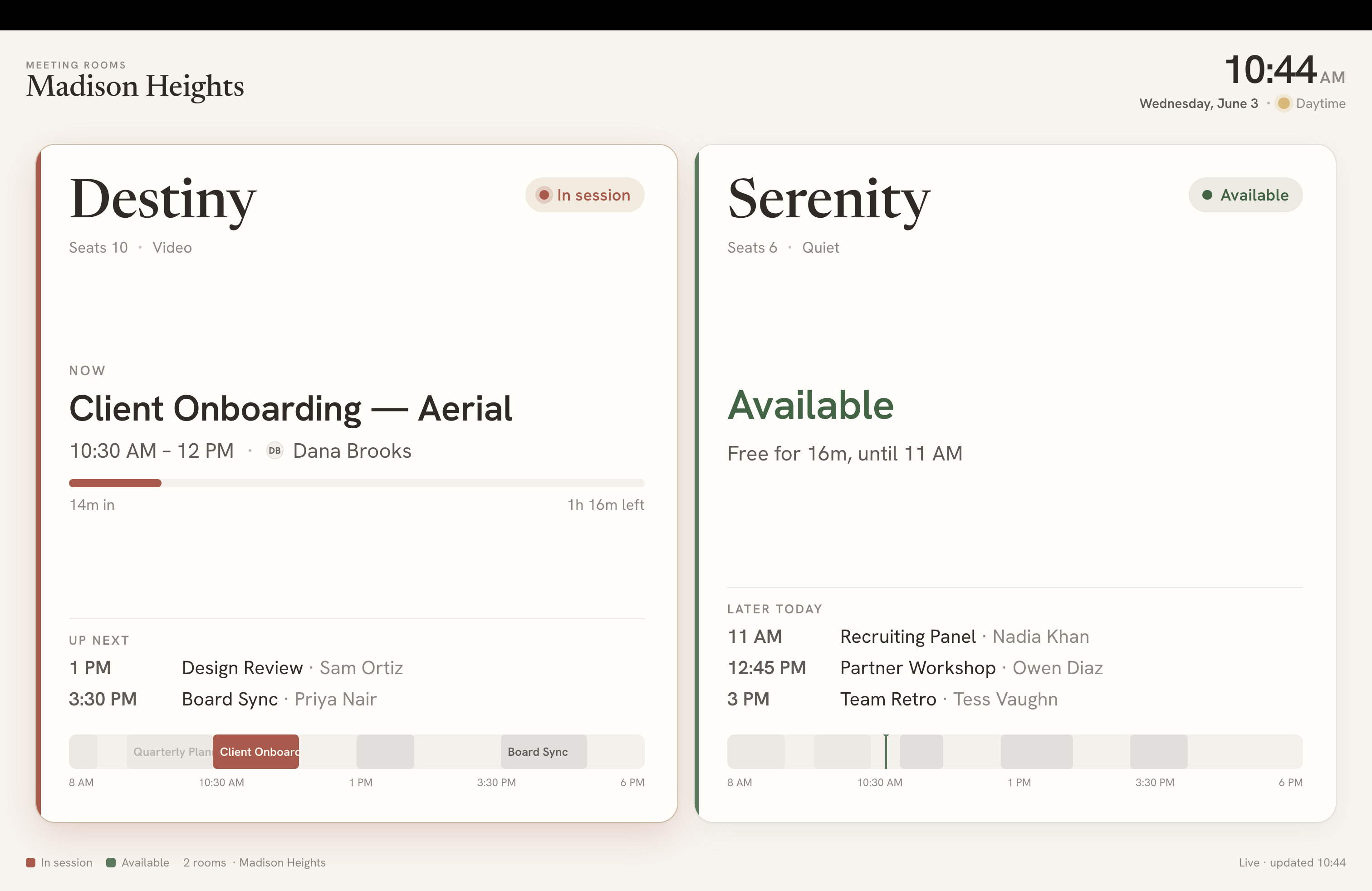
Working on a new Multiple Display theme for Meeting Room 365. The idea: a single screen that shows availability across multiple rooms at once — useful for lobbies, reception areas, or any space where people need a quick floor-wide view without walking the hall.
Smaller than a status board. Larger than a split screen display setup.
Still in flight, but the layout is coming together. Will share more once it's closer to ship-ready.