Admin Consent Workflow (Office 365 sign-in)

Updated March 29, 2024

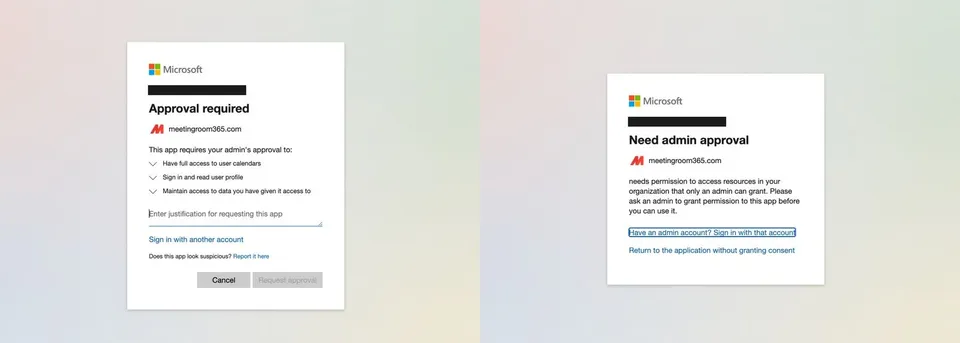
If you see one of these two screens when signing in to Meeting Room 365 via Office 365, your organization requires admin consent to install third-party applications.
See: https://learn.microsoft.com/en-US/entra/identity/enterprise-apps/configure-admin-consent-workflow?WT.mc_id=365AdminCSH_inproduct#enable-the-admin-consent-workflow

Microsoft sign-in prompts: Approval required and Need admin approval for Meeting Room 365

Your Global Administrator will need to sign into Microsoft Entra to grant permission to access the application on behalf of your organization.
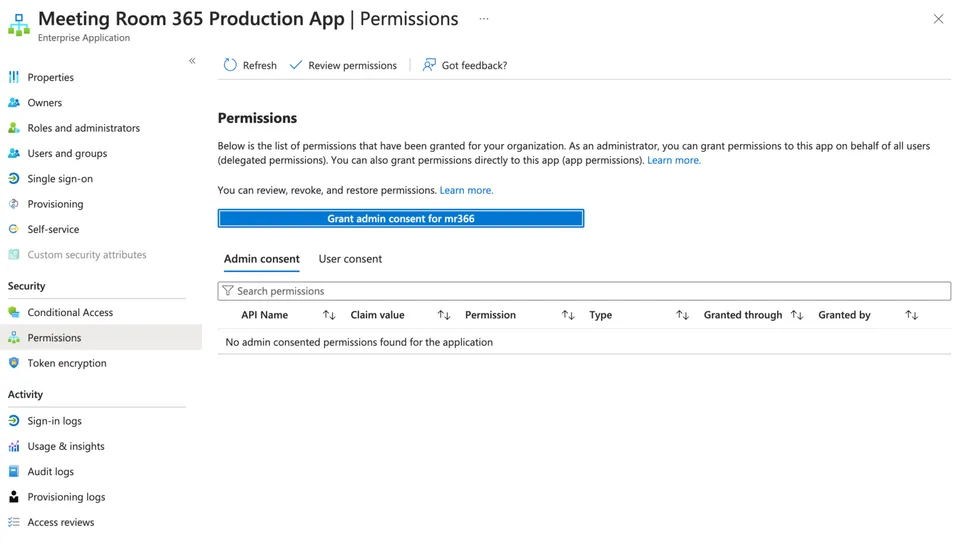
Microsoft Entra enterprise app Permissions page for Meeting Room 365 with the Grant admin consent button

Your configured admin may also receive an Email requesting approval.
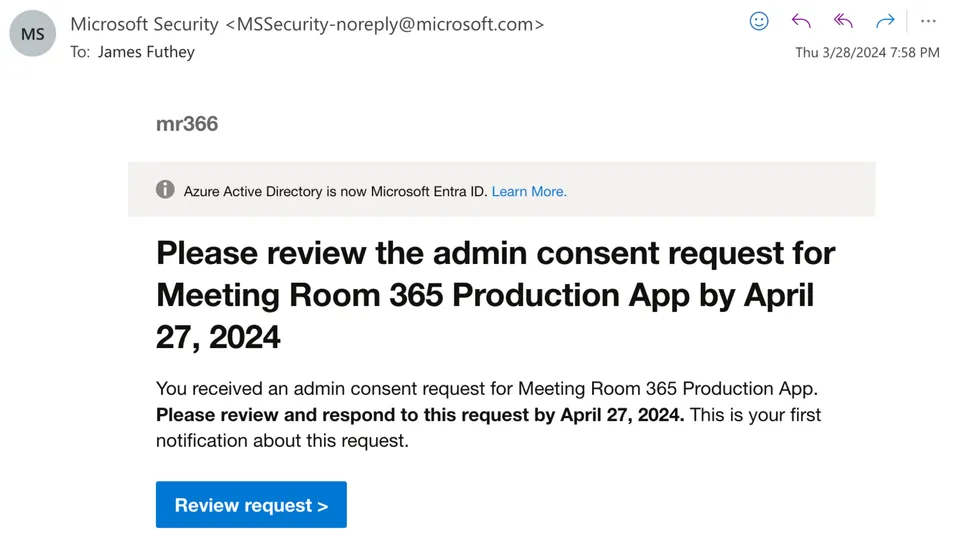
Microsoft email asking an admin to review the consent request for Meeting Room 365

Once the approval request is granted, you will be able to sign in to Meeting Room 365 with your Office 365 credentials.