You see this page when you sign in to Meeting Room 365 with a Microsoft 365 account:
Need admin approval
Meeting Room 365 Production App needs permission to access resources in your organization that only an admin can grant. Please ask an admin to grant permission to this app before you can use it.
AADSTS90094: The grant requires admin permission.
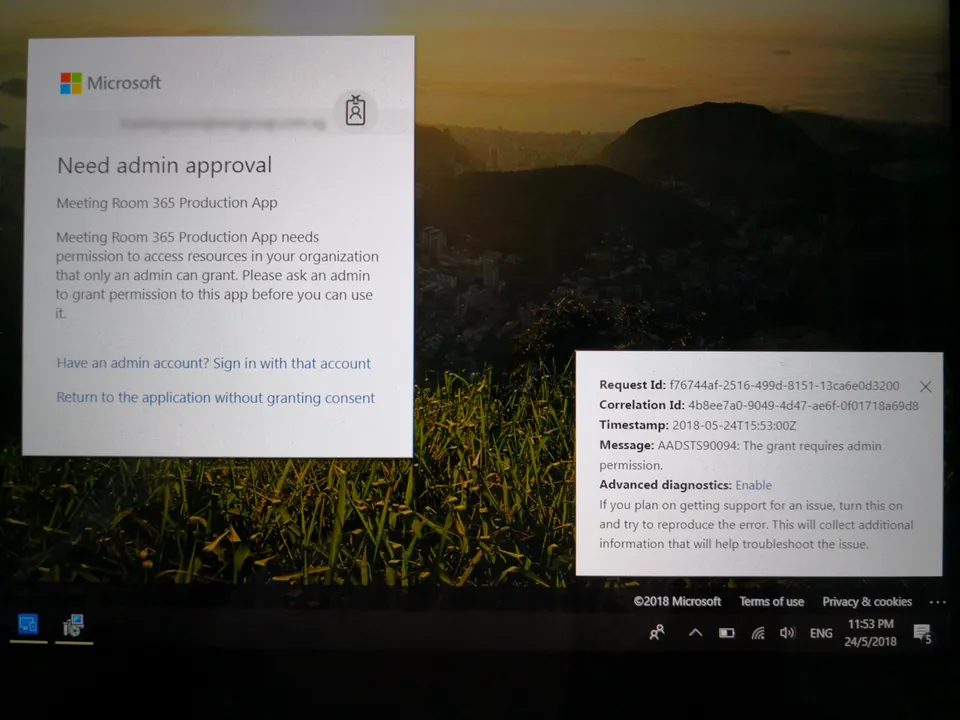
Microsoft shows this page when your organization requires an admin to approve the app. This is called admin consent. An admin grants it one time for the whole organization. After that, nobody sees this page again.
You need admin consent in either of these cases:
- You set up a service user. The service user setup asks for permissions that always need an admin, such as reading the rooms in your organization.
- Your organization blocks users from approving apps themselves. Then even a direct sign-in to one room needs an admin.
Who can grant admin consent
Ask a person with one of these Microsoft Entra roles:
- Global Administrator
- Privileged Role Administrator
- Cloud Application Administrator
- Application Administrator
Grant consent at sign-in
- Ask the admin to start the same sign-in in Meeting Room 365.
- The admin signs in with their own Microsoft 365 account.
- On the Microsoft permissions page, the admin selects Consent on behalf of your organization.
- The admin selects Accept.
- Sign in again with your own account.
Grant consent in the Microsoft Entra admin center
Use this method if the admin cannot do the sign-in. Meeting Room 365 Production App must already show in your tenant. It shows after one person has tried to sign in.
- Sign in to the Microsoft Entra admin center as an admin.
- Go to Entra ID, then Enterprise apps, then All applications.
- Search for Meeting Room 365 Production App, then select it.
- Under Security, select Permissions.
- Review the permissions, then select Grant admin consent.
- Sign in again in Meeting Room 365.
Microsoft's full guide is Grant tenant-wide admin consent to an application.
Do not change “Users can register applications”
This article used to tell you to set Users can register applications to Yes in Azure Active Directory. That setting lets users create their own app registrations. It does not approve Meeting Room 365 and does not fix this error. Leave it at the value your organization chose.
If you are stuck, contact us from your admin portal.