
How to Use Remove-Mailbox in Powershell

Managing mailboxes efficiently is a vital task for Exchange administrators. Whether dealing with user mailboxes or public folders, it's essential to know how to properly remove mailboxes without leaving any residual data.
The Remove-Mailbox cmdlet in PowerShell is a handy tool that allows administrators to remove mailboxes. In Exchange Online, this typically results in deletion of the associated user account, while in on-premises environments the behavior depends on how the mailbox is removed.
This article will provide a comprehensive guide on the usage of the Remove-Mailbox cmdlet, explaining its syntax, parameters, and practical applications in both on-premises Exchange Server and Exchange Online environments.
What is the Remove-Mailbox Cmdlet?
The Remove-Mailbox cmdlet is a command-line tool used in Exchange Management Shell or Exchange Online PowerShell to delete mailboxes. In Exchange Online, this typically results in deletion of the associated user account, while in on-premises environments the behavior depends on how the mailbox is removed.
This cmdlet can disconnect a mailbox from a user, remove both the mailbox and user account depending on context, or permanently delete the mailbox from the database. It's applicable in on-premises Exchange Server environments and Exchange Online, offering flexibility to administrators managing various types of mailboxes, including arbitration, audit log, and public folder mailboxes.
If you need to remove a mailbox but keep the user account, use the Disable-Mailbox cmdlet instead.
Syntax
The available parameters differ between Exchange Server (on-premises) and Exchange Online, and the cmdlet uses multiple parameter sets depending on the scenario.
Standard mailbox removal:
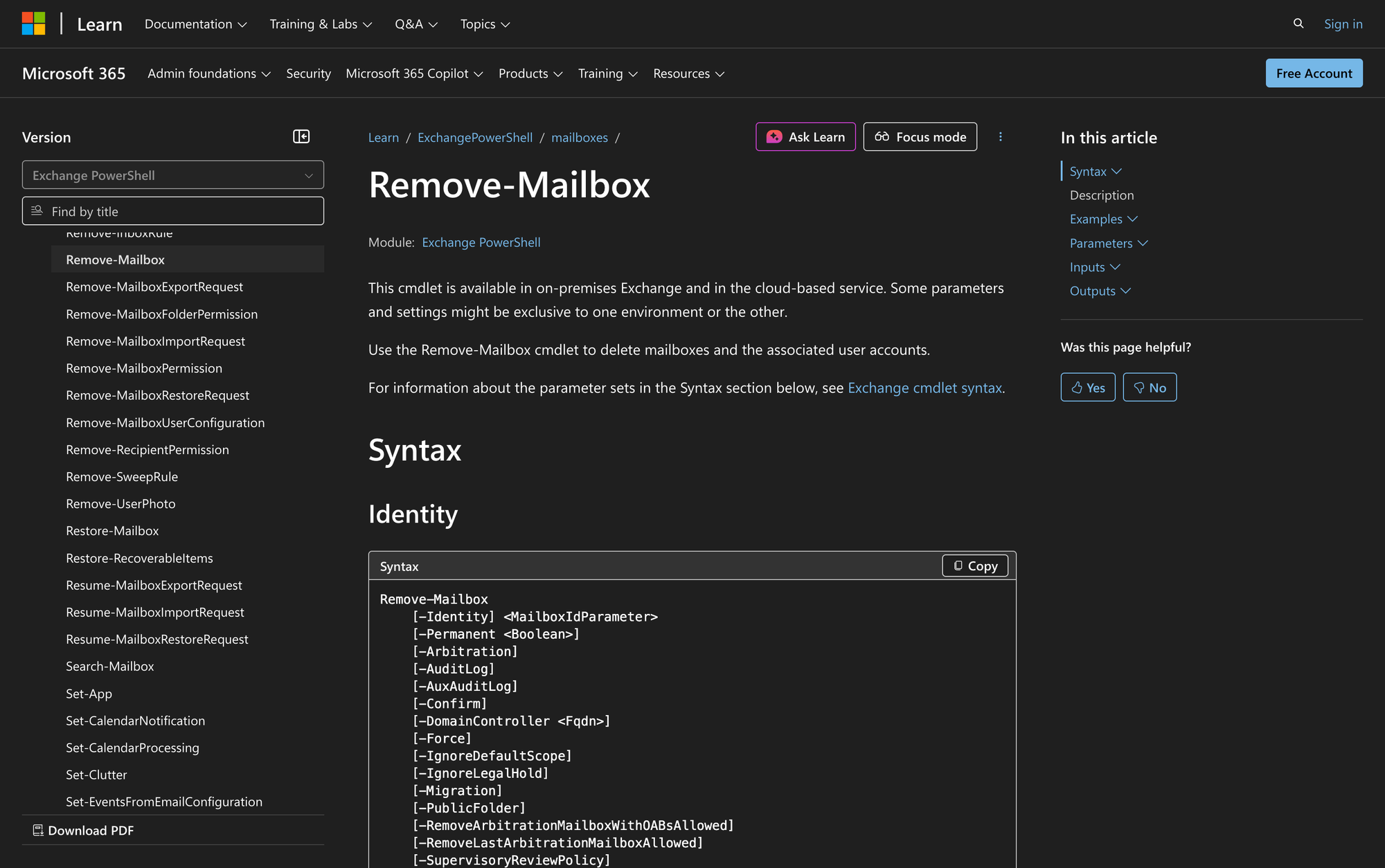
Remove-Mailbox
[-Identity] <MailboxIdParameter>
[-Permanent <Boolean>] (On-premises only)
[-PermanentlyDelete] (Exchange Online only)
[-Arbitration]
[-AuditLog]
[-AuxAuditLog]
[-Confirm]
[-DomainController <Fqdn>]
[-Force]
[-IgnoreDefaultScope]
[-IgnoreLegalHold]
[-Migration]
[-PublicFolder]
[-RemoveArbitrationMailboxWithOABsAllowed]
[-RemoveLastArbitrationMailboxAllowed]
[-SupervisoryReviewPolicy]
[-WhatIf]
[<CommonParameters>]
Removing a disconnected mailbox (on-premises only):
Remove-Mailbox
-Database <DatabaseIdParameter>
-StoreMailboxIdentity <StoreMailboxIdParameter>
[-Arbitration]
[-AuditLog]
[-AuxAuditLog]
[-Confirm]
[-DomainController <Fqdn>]
[-Force]
[-IgnoreDefaultScope]
[-IgnoreLegalHold]
[-Migration]
[-PublicFolder]
[-RemoveArbitrationMailboxWithOABsAllowed]
[-RemoveLastArbitrationMailboxAllowed]
[-SupervisoryReviewPolicy]
[-WhatIf]
[<CommonParameters>]
Parameters
- Identity: Identifies the mailbox to remove.
- Permanent: Specifies whether to permanently delete the mailbox. This parameter is only available in on-premises Exchange.
- PermanentlyDelete: Permanently deletes a soft-deleted mailbox in Exchange Online. This parameter is only available in Exchange Online.
- Arbitration: Required to remove arbitration mailboxes.
- AuditLog: Required to remove audit log mailboxes.
- AuxAuditLog: Required to remove auxiliary audit log mailboxes.
- Confirm: Shows or hides the confirmation prompt.
- DomainController: Specifies the domain controller for Active Directory operations.
- Force: Hides warning or confirmation messages.
- IgnoreDefaultScope: Uses the entire forest as the scope.
- IgnoreLegalHold: Ignores the legal hold status of the user.
- Migration: Required to remove migration mailboxes.
- PublicFolder: Required to remove public folder mailboxes.
- RemoveArbitrationMailboxWithOABsAllowed: Bypasses checks for OABs in arbitration mailboxes.
- RemoveLastArbitrationMailboxAllowed: Removes the last arbitration mailbox.
- SupervisoryReviewPolicy: Reserved for internal Microsoft use.
- WhatIf: Simulates the command without applying changes.
Practical Uses
1. Removing User Mailboxes After Employee Departure
After an employee leaves an organization, administrators can use the Remove-Mailbox cmdlet to delete their mailbox. In Exchange Online, this typically results in deletion of the associated user account.
This ensures that the mailbox is no longer accessible, and data is retained only for the configured retention period, allowing for compliance with organizational policies.
2. Cleaning Up Legacy Arbitration Mailboxes
Arbitration mailboxes can accumulate over time, especially in large organizations. Using the Remove-Mailbox cmdlet with the Arbitration parameter helps administrators manage and remove unnecessary arbitration mailboxes, streamlining the Exchange environment.
3. Permanently Deleting Soft-Deleted Mailboxes in Exchange Online
Soft-deleted mailboxes in Exchange Online may need to be permanently deleted to permanently remove data and prevent recovery. The Remove-Mailbox cmdlet, along with the PermanentlyDelete switch, allows for this permanent removal, ensuring no data remnants remain.
Prerequisites
- Permissions: You must have the appropriate permissions assigned to run the cmdlet.
- Environment: Available in both Exchange Online and on-premises Exchange Server (Exchange 2010 or later).
- Exchange Management Shell: Must be connected to the Exchange Management Shell or Exchange Online PowerShell module.
How to Use Remove-Mailbox: 7 Practical Uses
Using the Remove-Mailbox cmdlet is straightforward, but understanding the context and scenarios where it applies is essential. Below are practical examples demonstrating its usage in various administrative tasks.
1. Deleting a User Mailbox
Command:
Remove-Mailbox -Identity "John Rodman"
This command removes the mailbox. In Exchange Online, this typically results in deletion of the associated user account. The mailbox is soft-deleted and retained for a limited period (typically 30 days in Exchange Online) before permanent deletion. This use case is common when an employee departs, and their mailbox is no longer needed.
2. Permanently Removing a Mailbox
Command:
Remove-Mailbox -Identity "John Rodman" -Permanent $true
In an on-premises Exchange environment, this command permanently deletes "John Rodman’s" mailbox from the database. It's useful when immediate deletion is required, and the mailbox should not be recoverable.
3. Removing a Disconnected Mailbox
Command:
$Temp = Get-MailboxStatistics -Database Server01Database01 | Where {$_.DisplayName -eq 'John Rodman'}
Remove-Mailbox -Database Server01Database01 -StoreMailboxIdentity $Temp.MailboxGuid
This example removes a disconnected mailbox from the database using its GUID. It's particularly useful for cleaning up orphaned mailboxes after user account deletions. Note that this is only applicable in on-premises Exchange.
4. Deleting a Soft-Deleted Mailbox in Exchange Online
Command:
Get-Mailbox -Identity Laura -SoftDeletedMailbox | Remove-Mailbox -PermanentlyDelete
This command permanently deletes a soft-deleted mailbox in Exchange Online. The mailbox must already be in a soft-deleted state before this operation can be performed. This is essential for maintaining data hygiene in the cloud.
5. Removing an Arbitration Mailbox
Command:
Remove-Mailbox -Identity "ArbitrationMailbox" -Arbitration
Arbitration mailboxes are used for system purposes. This command removes an arbitration mailbox, which might be necessary during maintenance or cleanup operations.
6. Deleting a Public Folder Mailbox
Command:
Remove-Mailbox -Identity "PublicFolderMailbox" -PublicFolder
Public folder mailboxes store public folder data. This command is used when a specific public folder mailbox is no longer required, freeing up space and resources.
7. Removing a Migration Mailbox
Command:
Remove-Mailbox -Identity "MigrationMailbox" -Migration
Migration mailboxes are used during data migration processes. Once the migration is complete, this command removes the migration mailbox to prevent unnecessary data retention.
Final Note
The Remove-Mailbox cmdlet is a vital tool for Exchange administrators, enabling efficient management of mailboxes in both Exchange Server and Exchange Online.
Understanding its parameters and practical uses ensures that mailboxes are removed correctly, maintaining a clean and organized Exchange environment. Whether handling user departures or cleaning up legacy data, mastering Remove-Mailbox is essential for effective mailbox management.