
How to Use Get-MailContact in Powershell

In Microsoft Exchange, mail contacts serve as a vital component for organizations, allowing them to manage external email addresses as part of their directory. These contacts are often used for individuals or businesses outside the organization and can play a crucial role in email communication and collaboration. With the ever-growing need for effective communication tools, administrators must have the means to efficiently manage these mail contacts.
The Get-MailContact cmdlet in PowerShell is designed for this very purpose. It enables administrators to retrieve detailed information about mail contacts. Whether you need to verify contact details, audit existing entries, or troubleshoot issues, this cmdlet provides a comprehensive view of the mail contacts within your Exchange environment.
What is the Get-MailContact Cmdlet?
The Get-MailContact cmdlet is a powerful command used within the Exchange Management Shell or Exchange Online PowerShell to display existing mail contacts in an organization. This cmdlet retrieves mail contact objects with a default set of properties, or returns a list of mail contacts when run without parameters. The cmdlet is essential for administrators who need to ensure that their contact information is accurate and up to date.
In addition to simply retrieving information, the Get-MailContact cmdlet can be used in conjunction with other commands to perform more complex operations, such as filtering results or sorting contacts based on specific criteria.
By leveraging the capabilities of this cmdlet, administrators can effectively manage their organization’s external email addresses.
Syntax
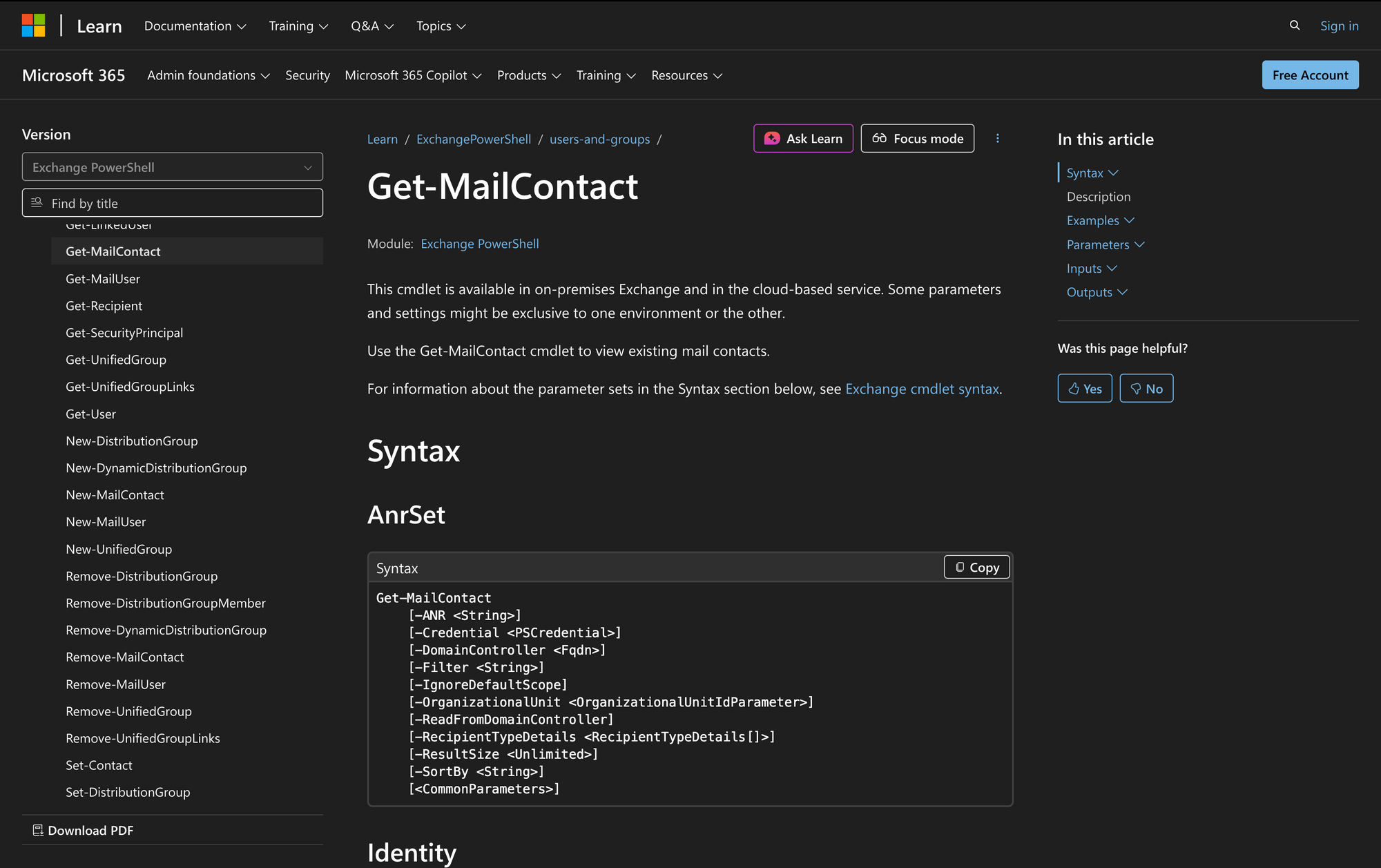
Here is the official syntax as per Microsoft documentation:
Get-MailContact
[[-Identity] <MailContactIdParameter>]
[-ANR <String>]
[-Credential <PSCredential>]
[-DomainController <Fqdn>]
[-Filter <String>]
[-IgnoreDefaultScope]
[-OrganizationalUnit <OrganizationalUnitIdParameter>]
[-ReadFromDomainController]
[-RecipientTypeDetails <RecipientTypeDetails[]>]
[-ResultSize <Unlimited>]
[-SortBy <String>]
[<CommonParameters>]
Parameters
- Identity – Specifies the mail contact that you wish to view. You can use any value that uniquely identifies the mail contact, such as name, alias, email address, distinguished name (DN), canonical DN, or GUID. If the -Identity parameter is omitted or resolves to $null, the cmdlet returns all mail contacts within the current scope.
- ANR – Performs an ambiguous name resolution search based on a specified string. This allows partial string searches on attributes like display name or alias.
- Credential – Specifies the username and password used to run this command, typically used in scripts or when different credentials with required permissions are needed. This parameter is available only in on-premises Exchange.
- DomainController – Identifies the domain controller used by this cmdlet to read data from or write data to Active Directory. This parameter is available only in on-premises Exchange.
- Filter – Uses OPATH syntax to filter results by specified properties and values.
- IgnoreDefaultScope – Instructs the command to ignore the default recipient scope setting for the PowerShell session.
- OrganizationalUnit – Filters results based on the object's location in Active Directory.
- ReadFromDomainController – Reads information from a domain controller in the user's domain.
- RecipientTypeDetails – Filters results by specified mail contact subtypes. Valid values are MailContact and MailForestContact.
- ResultSize – Specifies the maximum number of results to return. The default value is 1000, and it can be set to Unlimited.
- SortBy – Specifies the property to sort the results by, allowing for better organization of contact information.
Practical Uses
1. Retrieving All Mail Contacts for Review
In many organizations, mail contacts are added regularly, and it's essential to have an up-to-date list for reference. Using Get-MailContact without any parameters retrieves a complete summary of all mail contacts.
This can help administrators quickly assess their external communication contacts and identify any that may need updating or removal. For example, if an organization frequently collaborates with external vendors, keeping these contacts organized is vital for operational efficiency.
2. Filtering Mail Contacts Based on Specific Criteria
Organizations often have specific requirements for how contacts should be categorized. For instance, if you want to find all contacts associated with a particular department, you can use the -Filter parameter to refine your search.
This allows you to isolate contacts that may belong to a specific location or group, making it easier to manage communication. By implementing filters, administrators can streamline their workflows and ensure they are reaching the right external contacts.
3. Troubleshooting Contact Information
Sometimes, administrators may encounter issues with specific mail contacts, such as incorrect email addresses or outdated information. The Get-MailContact cmdlet can help by retrieving detailed attributes of the contact in question.
By using the -Identity parameter, you can look up a specific contact and verify their details. This can be particularly useful when a user reports that they cannot reach an external contact, as it allows the administrator to quickly check for discrepancies in the contact’s information.
Prerequisites
Before using the Get-MailContact cmdlet, ensure the following requirements are met:
- You must have the necessary permissions assigned to view mail contacts.
- The cmdlet is available in Exchange Online and on-premises Exchange Server (2010 and later).
- If using the -DomainController parameter, you must specify a valid domain controller in your organization.
How to Use Get-MailContact: 6 Practical Uses
The Get-MailContact cmdlet can be a powerful tool for managing external contacts within your organization. Below are practical examples that illustrate how this cmdlet can be effectively used in various scenarios.
1. View All Mail Contacts
Command:
Get-MailContact
Running the Get-MailContact cmdlet without parameters retrieves all MailContact objects in the current Exchange scope. This is commonly used by administrators to review mail contacts stored in Active Directory, validate ExternalEmailAddress values, and confirm whether contacts appear in the Global Address List.
It is also a common starting point when generating a Report or exporting contact data to a csv file using a PowerShell script.
2. Retrieve Detailed Information for a Specific Contact
Command:
Get-MailContact -Identity "James"
Using the -Identity parameter allows you to retrieve a specific MailContact by name, Alias, or other unique identifier. This is useful when verifying Contact Information such as PrimarySmtpAddress, Display name, External Email, or HiddenFromAddressLists status.
For full visibility into attributes like CustomAttribute1, CustomAttribute15, or MailTip, the output can be piped to Format-List * in the Exchange Management Shell or a remote Exchange Online PowerShell session.
3. Filter Contacts by Department
Command:
Get-MailContact -Filter "Department -eq 'Sales'"
The -Filter parameter lets administrators query mail contacts using OPATH filter format directly against Active Directory attributes. Filtering by department is useful when managing vendor company contacts, Customer records, or other Recipients tied to a specific office or business unit.
This approach scales well in large Microsoft 365 environments where targeted queries are required instead of retrieving all objects.
4. Sort Contacts by Display Name
Command:
Get-MailContact | Sort-Object DisplayName
Piping Get-MailContact into Sort-Object DisplayName sorts results alphabetically by Display name, making large result sets easier to review. Sorting is commonly combined with other PowerShell commands such as Filter, Select-Object, or Add-Member to produce structured output for audits, documentation, or troubleshooting tasks. This is especially useful when reviewing entries from the Global Address List.
5. Limit the Number of Results Returned
Command:
Get-MailContact -ResultSize 50
The -ResultSize parameter limits how many MailContact objects the cmdlet returns. This is useful in large Exchange environments to reduce execution time and avoid unnecessary data processing when testing scripts or running ad-hoc queries.
Administrators often apply ResultSize while developing a PowerShell script before expanding the scope to retrieve all results.
6. Retrieve Contacts from a Specific Organizational Unit
Command:
Get-MailContact -OrganizationalUnit "SalesOU"
The -OrganizationalUnit parameter restricts the query to a specific container in Active Directory, allowing administrators to focus on mail-enabled objects managed by a particular team or department. This is useful in structured Exchange environments where contacts are organized by office, region, or customer type.
It aligns with recipient management practices in Active Directory Users and Computers and supports consistent administration across Exchange Server and Exchange Online.
Conclusion
The Get-MailContact cmdlet is a crucial tool for Exchange administrators looking to view and audit their organization’s external contacts efficiently. By enabling the retrieval of detailed contact information, filtering capabilities, and sorting options, this cmdlet allows for better organization and communication with external parties.
Whether you are auditing contacts, troubleshooting issues, or simply managing your organization’s directory, mastering Get-MailContact will enhance your administrative capabilities within the Exchange environment.
FAQ
1. What is the difference between Get-MailContact and Get-Contact?
Get-MailContact returns only mail-enabled contacts that have an external email address and can receive email through Exchange. Get-Contact returns all contact objects, including those that are not mail-enabled and cannot receive email. If the contact appears in the Global Address List and has an ExternalEmailAddress, Get-MailContact is the correct cmdlet to use.
2. Why doesn’t Get-MailContact return all properties like ExternalEmailAddress or CustomAttribute values by default?
By default, Get-MailContact returns a limited property set for performance reasons. Many attributes such as ExternalEmailAddress, CustomAttribute1-15, HiddenFromAddressLists, or proxyAddresses are not shown unless explicitly requested. To view all available properties, pipe the result to Format-List * or select specific fields using Select-Object.
3. Does Get-MailContact work in Exchange Online without a remote PowerShell session?
Yes, but only when connected using the ExchangeOnlineManagement module (EXO V2). You must first establish a session with Connect-ExchangeOnline. Without an authenticated Exchange Online PowerShell session, Get-MailContact commands will fail, even if you have permissions in the Exchange admin center.