

TL;DR
1
Open meeting room display
Click to configure the display settings.
2
Enter notification email
Add an email for offline notifications.
3
Be aware of delay
Expect a 30-minute delay for notifications.
4
Check display status
Log in to the portal to monitor offline displays.
Let's Do It Together!
Step 1: Configure Email Notifications
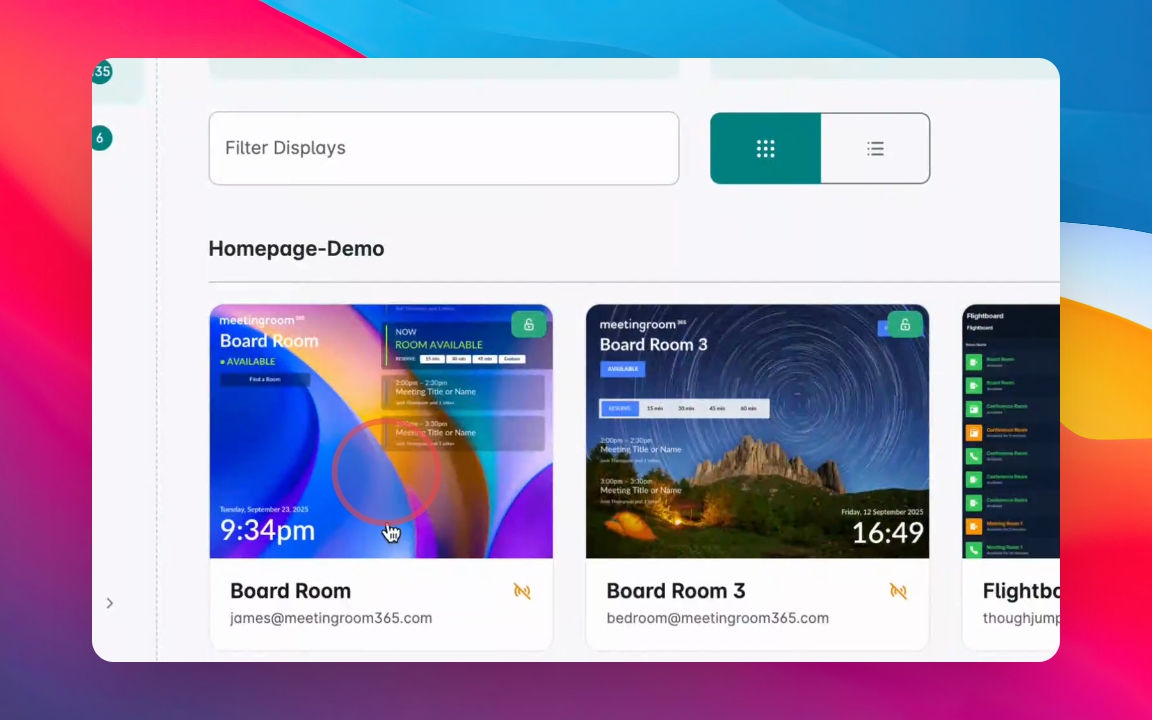
Open your meeting room display.
Click on the display to configure it.
Enter an email in the offline notification email field.
Now, the specified email will receive notifications when the display goes offline.
Step 2: Understand Notification Timing
Notifications are not instant; it takes 30 minutes to send an email.
You will receive only one email each time the display goes offline.
Step 3: Monitor Display Status
If you receive a notification, check for hardware failures or software issues.
Log into the admin portal to verify if the display is offline.
You may also need to go on site to investigate further.