---
title: Introducing the E-Ink Meeting Room 365 Display
slug: introducing-the-e-ink-meeting-room-365-display
published: 2023-04-12T21:46:59.000Z
updated: 2023-04-12T21:46:59.000Z
feature_image: /blog/images/introducing-the-e-ink-meeting-room-365-display/e-ink-meeting-room-display-occupied.1008.webp
feature_image_alt: E-ink meeting room display showing the room occupied and reserved for 45 minutes with Extend and End Meeting buttons
feature_image_caption: The E-ink Meeting Room display with Analog clock option, and a custom logo
author: James Futhey
author_slug: james
meta_description: An open-source E-ink meeting room display built on the Inkplate 6Plus, with instant reservations and months of battery life. Works with Microsoft 365.
status: published
---
We've released an [open-source](https://github.com/kidGodzilla/mr365-inkplate-display) E-ink display, compatible with Meeting Room 365, based on the popular [Inkplate 6Plus project](https://soldered.com/product/soldered-inkplate-6plus-with-enclosure-e-paper-display-with-touchscreen-copy/) by [soldered.com](https://soldered.com/about/).
You can use this to equip your meeting rooms with a DIY and affordable E-ink Meeting Room Display, backed by events from any Meeting Room 365 connector, such as Office 365, Google Workspace, and Exchange.
### Features and Functionality
The display has all the basic features and functionality of our normal displays, such as instant reservations, extending meetings, and ending early. The E-ink product also offers power-saving features, to help you keep your displays running for weeks in-between charges, without a power source.
You can customize various settings unique to the E-ink display, such as the clock (2 digital options, or an analog clock), and even add your own logo, using tools provided by Soldered.com.
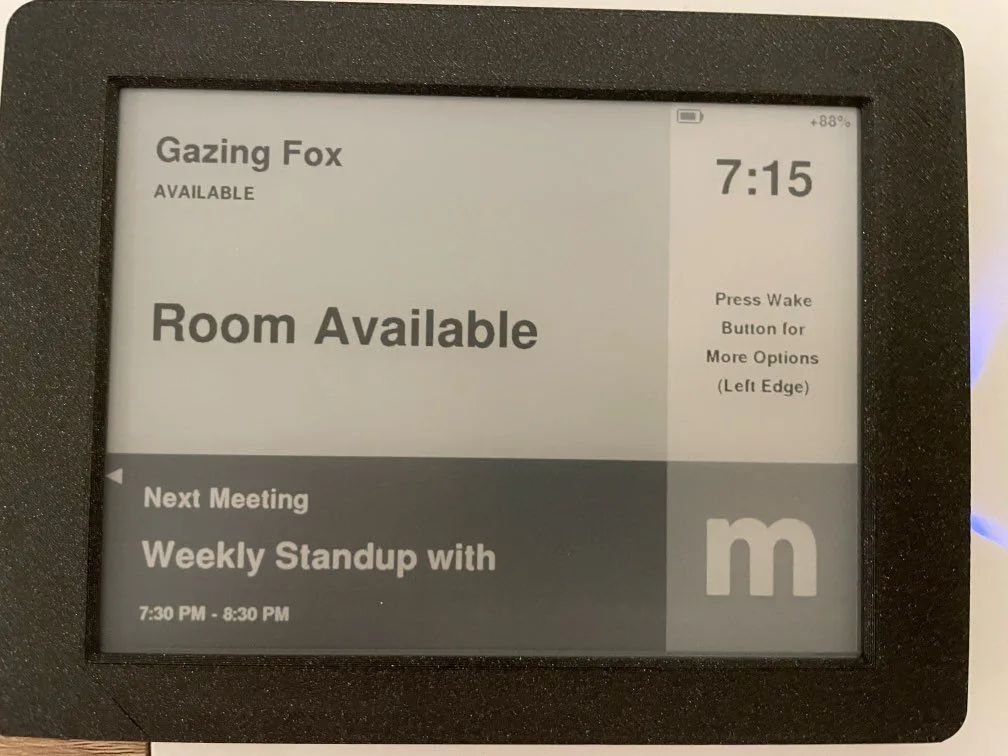
_Here is the display with a digital clock option_
### GitHub Repository
This repository lets you create a Meeting Room 365 display to run on the Inkplate 6 Plus E-Ink Display.
[https://github.com/kidGodzilla/mr365-inkplate-display](https://github.com/kidGodzilla/mr365-inkplate-display)
> 💡 Note: This is a DIY project guide! It will require some basic experience with Arduino IDE to complete.
### All the Meeting Room 365 Functionality you'd expect, Packed into an open-source Inkplate display
**From the manufacturer:** A powerful, Wi-Fi enabled ESP32 microcontroller makes this six-inch e-paper display – recycled from a Kindle e-reader - incredibly easy to control. Just plug in a USB cable, open Arduino IDE, and change the contents of the screen with few lines of code – All provided.
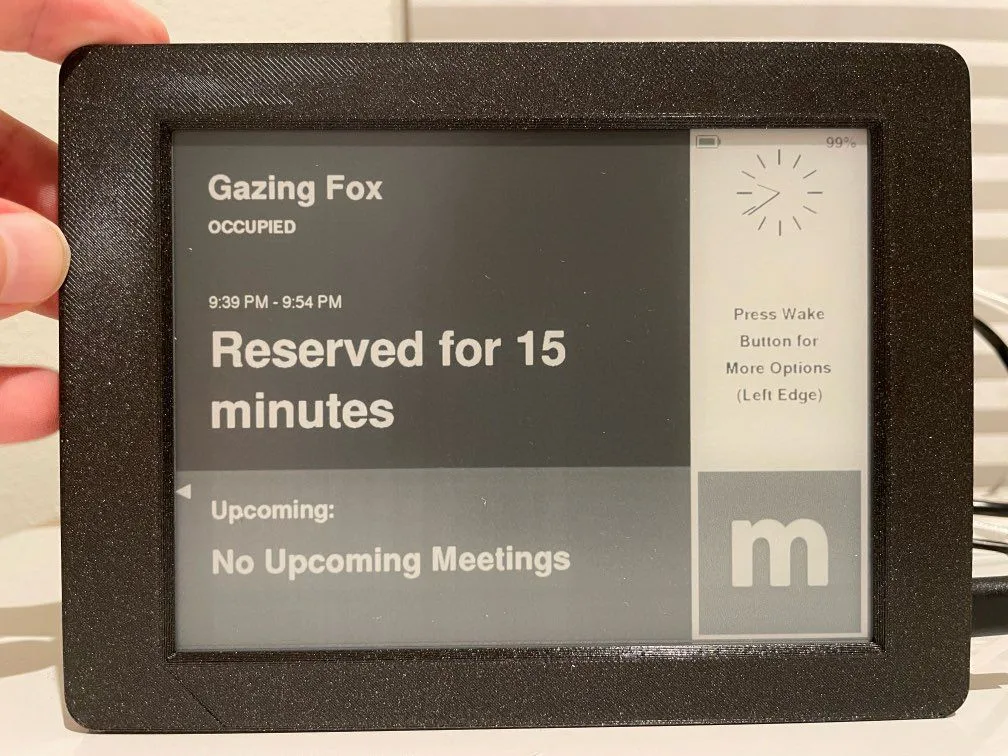
_You can allow the touchscreen to sleep between interactions to extend battery life_
## Battery Life
Up to a month between charges (wake button is pressed before making a reservation), or a full week with touchscreen instantly active during business hours.
Alternatively, keep power connected to simplify operation and maintenance.
1200mAh battery provides 20 days of standby use (display updates every 10 minutes, physical button press is required before performing reservation / cancel / extend actions.
1200mAh battery provides 7-8 days of active use (display does not enter standby during business hours, refreshes more often).
Extended 2000mAh battery options are available which provide 30+ days of standby use and up to 2 weeks of active use.
## Learn more about the Inkplate 6 Plus Hardware
_Demo of the Inkplate 6Plus_
_Demo of our application_
## The Team behind the Hardware
[https://soldered.com/about/](https://soldered.com/about/)
[https://twitter.com/solderedcom](https://twitter.com/solderedcom)
[https://www.instagram.com/solderedelectronics/](https://www.instagram.com/solderedelectronics/)
[https://github.com/solderedelectronics](https://github.com/solderedelectronics)
## Purchasing Hardware
Total cost is about $220 per display for the InkPlate 6 Plus, battery, and 3d-printed enclosure. All components can be purchased from the manufacturer, or separately.
[Soldered Inkplate 6PLUS with enclosure and battery - e-paper display with touchscreen - Soldered Electronics](https://soldered.com/product/soldered-inkplate-6plus-with-enclosure-e-paper-display-with-touchscreen-copy/)
Inkplate 6PLUS is a perfect device for interactive e-paper projects. It’s the easiest to use device available on the market.
Soldered Electronics
### Setting up Inkplate 6 Using the Arduino IDE
In order to get started with Inkplate 6, follow the steps in the guide below:
[Meeting Room 365 Open-source E-Ink Display for the InkPlate 6 Plus](https://www.meetingroom365.com/en/article/meeting-room-365-open-source-e-ink-display-for-the-inkplate-6-plus-m30k61/)
Meeting Room 365 Inkplate Display
Meeting Room 365 Support